How Freelancers Can Utilize CRM to Manage Client Relationships and Increase Income

Published on November 04, 2025

Freelancing gives you the freedom to work where and when you want—but it isn’t always smooth sailing when it comes to managing your clients. If you’ve ever tried to juggle project notes, deadlines, and feedback threads scattered across emails and sticky notes, you know how quickly things spiral into chaos. A clutter of spreadsheets and messages can turn a simple follow-up into a full-on scavenger hunt.

The truth is, without a game plan for keeping track of clients and their needs, it’s easy to let important details—and even valuable clients—slip through the cracks. Even the most diligent freelancer can lose track of a crucial conversation or forget about a promised update. Studies suggest that using a Customer Relationship Management (CRM) tool does more than keep you organized—it can actually make your service better. One survey even found that 65% of customers noticed a real boost in the service they received from freelancers who used CRM software.

If you’ve ever found yourself frantically searching email threads or losing track of progress on a dozen projects, you’re not the only one. Let’s look at how shifting from spreadsheets and sticky notes to a CRM (like Jetpack CRM in your WordPress dashboard) can help you stay on top of your freelance hustle. For a real-life perspective on how other freelancers tackled these issues, you might also want to check out How Freelancers Can Use CRM to Manage Client Relationships and Boost Income.


Stop the Scramble: Organize Every Client in One Place

One of the biggest perks of using a CRM is finally having all your client info—contact details, notes, project timelines, invoices—neatly stored in one spot. Forget digging through emails or jumping between folders. With a CRM in your workflow, a quick search can pull up everything you need about a client or project, from your very first call to the last invoice you sent out.

  • No more scattered files: All your client data, past conversations, and current projects live together in your dashboard.
  • Better tracking: Easily spot who needs a follow-up, which projects are in limbo, and when key deadlines are coming up.
  • Automation: Set reminders and recurring tasks so nothing falls through the cracks.

Think about what you could do with an extra chunk of time every week. Research shows that simply having better systems in place can save professionals up to 20% of their workweek—the sort of hours that add up quickly when you’re solo.

Case in point: a freelancer featured in this article dramatically cleaned up his client management—and his stress—just by getting organized in a CRM.

Task Old Way With CRM
Email Follow-ups Spreadsheet reminders Automatic emails & reminders
Client Data Files + sticky notes Searchable, centralized
When you’re organized, you look—and feel—more professional. Clients notice.

Never Miss a Follow-Up Again: Automate Client Communications

Consistent, friendly communication is what turns a one-time project into ongoing work. But when you’re running solo, keeping up with every conversation can eat up your entire day. That’s where CRM automation comes in.

Picture this: Instead of setting dozens of calendar reminders, you create email templates that your CRM sends right on schedule. Whether it’s a project kickoff, an update, or a simple thank you, each client gets timely, personalized communication without you having to sweat the details.

Freelancers who use these CRM automations see real results—a 29% jump in client retention, according to some surveys. Tools like Jetpack CRM even let you set up drip campaigns or quick auto-replies for new inquiries, so no one falls through the cracks, even when you’re busy with a deadline.

Every prompt, automated email is a tiny investment in your business’s reputation.

If you want a closer look at how automating follow-ups changes the game, check out Automating Client Follow-Ups: How CRM Can Prevent Missed Opportunities. Streamlining these touchpoints not only saves time, but also helps you win more repeat business over time.


Turning Happy Clients into Repeat Clients—Without Guesswork

Every freelancer knows the real magic happens when you turn a first-time client into a repeat one. CRMs make it easy to spot patterns—who keeps coming back, which services really resonate, and when past clients might be ready for something new.

Inside a CRM, you can segment your clients by how often they book you, what projects they’ve needed help with, or even by how engaged they are. That unlocks the power to:

  • Send tailored offers to your best clients
  • Proactively reach out with ideas that fit their goals
  • Gently nudge former clients with a timely, relevant update

Imagine being able to filter your “hot leads”—those past clients who raved about your last project—and firing off a personal note or exclusive discount, right from your dashboard. That’s how you build lasting partnerships and a steady stream of work—no cold pitching required.

Long-term, repeat clients are the backbone of a healthy freelance business.

The market for personal CRM tools has exploded in recent years, and small teams (or solos) are getting sharper at nurturing their own client base. For more advice on building these relationships, take a look at How Freelancers Can Use CRM to Build Long-Term Client Relationships.


How One Freelancer Doubled His Repeat Business with CRM

Let’s put this into context. Meet Alex, a freelance graphic designer who used to lose track of projects and emails almost weekly. Before switching to a CRM, his “system” was a patchwork of handwritten notes, flagged emails, and late-night mental checklists. As a result, a few missed deadlines damaged his reputation with regular clients.

Once Alex moved his workflow into a CRM, things changed fast. All his client info and past chats were instantly sortable and organized. Automated reminders made it impossible to forget a follow-up, and every client got quick, personalized attention when they needed it. Not only did his stress levels drop, but he finally had the space to focus on design instead of inbox chaos.

Three months in, Alex’s client retention rate jumped by 30%. More clients came back for new projects, and he stopped missing billable hours fixing preventable mistakes. He’s not the only freelancer with this story—check out Improving Client Follow-Up for Freelance Copywriters Using CRM for even more success stories from creative pros using better systems to grow their solo business.

It takes a tiny bit of effort to get organized—but the payoff in reputation and income is huge.

How to Pick the Right CRM (Without Getting Overwhelmed)

If you’re not sure which CRM to choose, keep these quick pointers in mind:

  • Identify your main pain points: What slows you down most—messy client info, lost follow-ups, or clunky invoicing?
  • Test for ease of use: A good CRM shouldn’t require a manual. Look for something clean, simple, and intuitive.
  • Check the automation: Does the tool send reminders, schedule emails, and free up your brainpower for real work? (This post covers automation basics in-depth.)
  • Think ahead: Can the system handle your business if you double your client list next year?

Play around with a few demos before you decide—most CRMs offer a free trial or sandbox you can test-drive. And don’t forget to hunt down reviews from other freelancers; their “gotchas” and success stories are invaluable.

Feature CRM A CRM B
Ease of Use High Moderate
Automation Tools Advanced Basic
Scalability Excellent Good
The right CRM works quietly in the background—making your work (and your life) easier, not more complicated.

Your Next Step: Take Control of Your Freelance Client List

Upgrading to a CRM isn’t just about adopting another app—it’s about giving yourself the headspace to work smarter, not harder. With client details organized and routine follow-ups handled automatically, you’re free to focus on what makes your business thrive: excellent work and genuine relationships.

We’ve seen how freelancers using CRM systems (like Jetpack CRM) save hours every week, keep their clients happier, and win more return business—all by getting out from under spreadsheets and letting their workflow breathe.

If your inbox still runs your day, or projects feel scattered, take a look at a CRM solution and see what changes for you. Still wondering where to begin or looking for more tips? Check out How Freelancers Can Use CRM to Build Long-Term Client Relationships for a deep dive into building sustainable, client-first systems.

The real secret to freelance growth? It’s not hustle. It’s clarity and consistency—with a little help from the right tools.
The Hidden Costs of Not Using a CRM: What Small Businesses Need to Know

Published on November 02, 2025

If you’re running a small business without a CRM, it can feel like you’re saving money and keeping things simple. But beneath the surface, all that juggling and patchwork organizing quietly takes a toll—lost hours, dropped leads, and customer details slipping through the cracks. That disorganization adds up fast. Let’s dig into exactly where those hidden costs hide and why making sense of them is the key to truly sustainable growth.

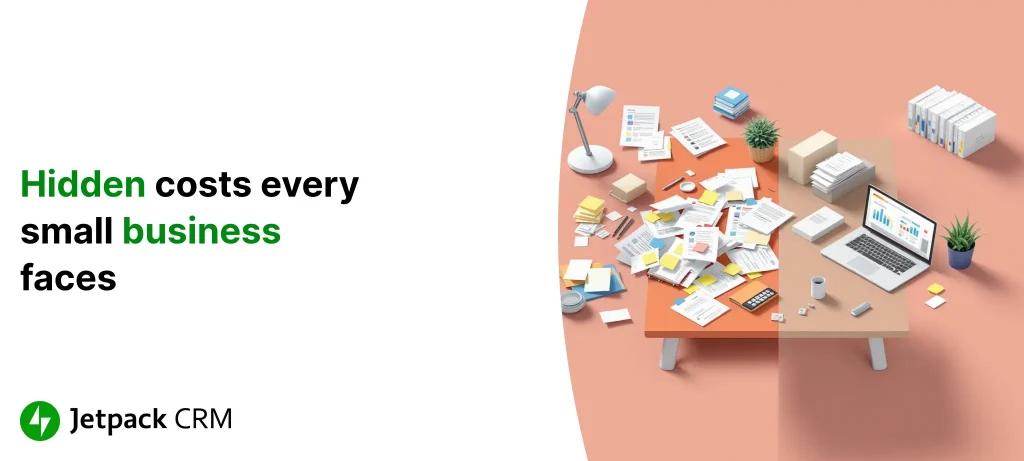
Picture the chaos that comes from not having all your customer info in one place. Instead of one neat view, you’re fielding emails, updating scattered spreadsheets, hunting for sticky notes, and trying to remember which conversation happened where. Without a system in place, details get lost or duplicated, and those simple oversights—missing a follow-up, forgetting a customer’s preferences—start costing you real business. Over time, it’s not just scattered data; it’s missed sales, frustrated customers, and a team stretched thin.

It’s a lot like trying to finish a puzzle when half the pieces are missing. No matter how hard you work, you’ll never see the whole picture—or make the most of every opportunity. This day-to-day scramble hinders your ability to forecast what’s coming or plan your next move. And most business owners only realize how much they’re losing after it’s already gone.

Want more specifics? Take a look at this deep dive on the true cost of disorganized contact management for more examples and advice.

What Missed Opportunities Really Cost

The dollars lost by not using a CRM rarely show up in a single big event—they slip away a little at a time: unreturned calls, forgotten leads, marketing emails sent to the wrong address. And unless you’re tracking every interaction, you’re guessing about your sales, not managing them.

For instance, research shows businesses with a CRM see up to 29% more sales and 34% higher sales team productivity. That’s money in your pocket—money that vanishes if you’re still working from sticky notes and memory.

Consider these numbers:

  • Every missed follow-up could be a lost customer for good.
  • Without tracking, sales forecasts become wishful thinking, not actionable plans.
  • Businesses with organized lead pipelines report a 42% boost in forecasting accuracy.
On average, every dollar put into a CRM can generate $8.71 in return.

It’s not just about new sales either—disorganization impacts everything from marketing effectiveness to long-term relationships. When you don’t really know where your opportunities are, it’s impossible to aim your efforts where they’ll count most.


Why Disorganization Drains Productivity

Trying to manage your customers manually usually means endless data entry, double-checking, and rework. How much time have you spent searching for a phone number you know you wrote down somewhere? Or reconciling which “updated” spreadsheet is actually current?

Unlike automated systems, manual processes breed errors and delays. Every extra step—entering data twice, emailing for clarification, hunting for history—slows your team and builds frustration. But with CRM tools like Jetpack CRM, a lot of that busywork disappears. Tasks that once chewed up hours shrink to minutes with automation.

Look at the difference side by side:

Method Time Spent Per Task Error Rate
Manual Management High High
CRM Automated Management Low Low

These hidden inefficiencies not only slow you down—they chip away at customer loyalty and your team’s sanity. When everyone works from the same place within your WordPress dashboard, mistakes drop, follow-ups get done, and your business runs smoother—often more than you realize until you make the change.


Stories from the Field: When DIY Systems Fail

Nearly every small business has a tale of an important lead lost to a misplaced sticky note, or a client frustrated by repeated calls for information they already gave. One business owner described how piecing together customer stories from emails, scattered notes, and memory led to double-booked meetings and unhappy clients—until a CRM brought everything together in one spot.

This isn’t just bad luck. As your client list grows, spreadsheets that once “just worked” can spiral into confusion. Multiple projects overlap, deadlines slip past, and team communication breaks down. In one agency’s case, switching from scattered files to a CRM helped them not only organize better, but also boosted their client retention by 27%, simply because nothing got lost in the shuffle.

“Once we put everything in a CRM, we didn’t realize how much we’d been missing—until the problems stopped happening.” – Small agency owner

These aren’t rare exceptions. The pattern repeats: businesses who wait to organize until they’re desperate, end up spending more time and money fixing problems that a CRM could have prevented in the first place. Want to see more? Check out these case studies of businesses that learned this the hard way.


How a CRM Gives You Back Control (and Time)

Bringing a CRM into your workflow isn’t just a nice upgrade—it’s a shift from constantly putting out fires to genuinely building your business. Here’s what changes when you have real customer insight all in one place:

  • Less Drudgery: Automation takes care of repetitive tasks—so you and your team spend more time actually serving customers, not wrestling with spreadsheets.
  • Confident Planning: Clear records and reporting help you project sales accurately, budget better, and make decisions with eyes wide open.
  • Customers Remember You (For Good Reasons): Tracking every interaction means no more dropped balls, which pays off directly in retention and word-of-mouth.

Another plus: tools like Jetpack CRM are designed to grow with you. Whether you’re running solo or scaling up, your processes can evolve—no need to start over when you outgrow your old setup. If you’re unsure how to pick the right fit, here are some tips on choosing a CRM that matches your next chapter.

A CRM doesn’t just keep things tidy—it transforms a messy, manual process into a repeatable, reliable system you can build on.

When to Make the Switch—and Why It’s Worth It

It’s tempting to ask, “Can I afford a CRM?” But a better question is, “How much longer can I afford the constant patchwork?” The truth is, every missed lead, every delayed response, and every hour spent tracking down info costs far more than most realize. Lost revenue, longer sales cycles, and frustrated customers aren’t always obvious with scattered tools—but they’re real.

The math is clear: investing in a CRM system costs less in the long run than letting inefficiency drain your business year after year. Over time, the organizations that centralize and automate reap not just more sales—but happier teams, more loyal customers, and business growth that feels a lot less like an uphill battle.

If you want to read more about what it takes to switch—and what to expect in those first months—this guide on implementation best practices is packed with honest insights from real business owners.

Bringing all your customer info into one place isn’t about adding overhead—it’s about unlocking potential. You’ll stop plugging leaks and start building for the future, with tools that keep pace as you grow.


The Hidden Costs of Not Using a CRM for Your Small Business

Published on November 01, 2025

Running a small business means wearing a lot of hats—but keeping your customer relationships organized shouldn’t feel like another anxiety-inducing to-do. When you don’t have a dedicated Customer Relationship Management (CRM) system in place, important details slip away, and chaos creeps in. Let’s pull back the curtain on the hidden headaches and missed growth moments that come from managing customers with clunky spreadsheets or sticky notes.

Imagine a neighborhood café where order requests, loyalty rewards, and customer quirks live on scraps of paper and scattered digital docs. When things get busy, that disarray leads to lost orders, muddled communication, and loyal customers who quietly slip away. That’s why a CRM—think of it as your business’s central command center—brings all your customer info and interactions into one accessible place right within your WordPress dashboard.

CRMs aren’t just about tidying up. They ensure everyone on your team (even if it’s just you) stays on the same page, minimizes mistakes, and consistently delivers the kind of attentive experience that keeps customers coming back. For example, studies show that when follow-ups fall through the cracks, up to 80% of leads go cold. By automating reminders and tracking conversations, a CRM can help you not only respond quickly, but also nurture those valuable relationships for the long haul.

Plus, as your business grows, a CRM keeps your customer experience steady, even with more orders and messages coming in. It’s not just about saving time—it’s about building a business culture where accountability and customer insight power every decision.


All Those “Little” Inefficiencies Add Up

If it feels like you’re always chasing down info instead of focusing on your customers, you’re not imagining things—it’s costing you, both in time and lost opportunities. Manual processes and scattered files create invisible drains on your business.

Let’s break down where time and money leak out:

Issue Cost Impact
Lost Leads Up to 80% conversion loss
Time Wasted Hours spent on data entry and searching
Communication Gaps Reduced customer satisfaction
Operational Errors Increased billing and scheduling mistakes

Behind every number is a real-world frustration: doubling up tasks because details aren’t shared, fumbling between email chains, and inevitably missing a detail that costs you credibility or sales. The more your business grows, the more these slips multiply.

Automation can be a game changer here. Research shows that teams using workflow automation are up to 40% more productive—suddenly all those scattered minutes turn into time you can actually use to grow your business. A dedicated CRM smooths out those rough edges by keeping every detail in its right place, and by making sure no one forgets to follow up or drop the ball on a customer question.


When Missed Messages Mean Missed Money

We’ve all lost a potential customer to a missed email buried in a flooded inbox. If you’re still managing contacts manually, that kind of oversight is all too common—especially when things get busy.

It’s not just the lost sale that stings; it’s the long-term effects on customer trust and loyalty. When key info is split between sticky notes, documents, and scattered devices, delays and forgotten details happen—often right when that prospect is most interested in hearing from you.

Take the story of a growing boutique: they started out keeping track of customers with hand-written notes, but as business picked up, remembering who liked what or when they last visited became impossible. Loyal clients slipped away, not for lack of care, but because the system couldn’t keep up. Shops that switch to tools like Jetpack CRM, however, report higher engagement—automated reminders make each follow-up effortless and no special requests are forgotten.

A CRM is so much more than a fancy address book—it’s your safety net, ensuring every potential connection is captured and every loyal customer feels remembered.

Want to dig deeper into turning contacts into clients? Check out Improving Contact Management for Solopreneurs: The Role of CRM in Business Growth for actionable steps.


How Disorganized Lead Management Shrinks Sales

Your bottom line depends on how reliably you turn leads into paying customers. When your lead tracking is all over the place, great opportunities slip away almost unnoticed—and with them, your sales goals.

Nearly 80% of leads disappear, mostly because no one followed up at the right moment. That sort of quiet leak is easy to miss until you’re staring at disappointing sales numbers. Manual tracking nearly always means forgotten quotes, missed calls, or even sending out an invoice with the wrong total.

A CRM changes the equation. By keeping reminders, contact details, and billing organized and connected, you instantly reduce errors and speed up your sales process. Dashboards and automatic reports give you eyes on what’s working and what’s not, so you can adapt your outreach in real time. Here’s what that looks like in action:

  • Improved Lead Tracking: Never lose track of a hot lead—automated reminders prompt timely follow-ups.
  • Accurate Billing: Quotes and invoices are consistent, with fewer mistakes and less confusion.
  • Smarter Reporting: Real-time insights help you spot trends and adjust your strategy fast.

The result? Routine wins become regular, and big wins stop slipping away unnoticed.


Manual Admin: The Productivity Trap You Can’t See

You know those endless hours of entering data by hand, hunting for the right spreadsheet, and chasing reminders? That’s time you don’t get back—and it’s a hidden tax on your business’s growth.

Picture a team member (or yourself) double-inputting the same info across platforms, or scrolling through old emails to piece together a customer’s last order. This isn’t just tedious; it raises the risk of mistakes that confuse customers or slow down your team.

Here’s where a CRM truly delivers: automatic follow-up emails, calendar invites, and a single spot for all your customer info. Tools like Jetpack CRM can automate the mind-numbing admin work—freeing up hours each week for work that actually adds value. Studies suggest automation can bump up productivity by 40% or more. Here’s how:

  • Automated Task Handling: No more manual entry for every new contact—your CRM handles it.
  • Everything in One Place: Look up any customer’s full history with a couple of clicks.
  • Reminders Built In: Deadlines and follow-ups never get lost again.

Once those repetitive chores are running on autopilot, you (and your team) can finally focus on the bigger picture—growing your business and delivering exceptional service. That reclaimed headspace and energy make a real difference.


How a CRM Turns Friction Into Momentum

Switching from scattered manual systems to a CRM isn’t just about solving a few annoyances—it fundamentally changes how your business operates. Suddenly, customer info isn’t a scavenger hunt. Opportunities don’t fall through the cracks. And you have the tools to build smarter, longer-lasting customer relationships.

A CRM gathers every email, note, and preference into a neat timeline. This bird’s-eye view lets you target your marketing, follow up on hot leads quickly, and personalize offers that actually connect. For example, you can segment contacts in your CRM based on purchase history and send the right messages to the right people, all from within your WordPress dashboard.

Automated reminders help ensure that every potential sale gets attention. With real-time performance reports, you’re not guessing which outreach worked—you can see it and adapt. Plus, modern CRMs keep your customer data safe and your compliance headaches at bay.

“A well-implemented CRM is more than an app—it’s the difference between flying blind and piloting your business with confidence.”

Want to dive deeper into choosing tech that fits your business? See our guide on How to Choose the Right CRM: Selection Criteria and Evaluation Tips for a practical checklist.


Finding Your Perfect-Fit CRM

Not all CRMs are built the same—and you don’t want to end up with a bloated system that’s more headache than help. Start by figuring out your absolute must-haves: Are you struggling most with managing follow-ups, simplifying admin, or making sense of your data?

Once you know what matters most, compare tools that fit those needs. Is easy integration part of your workflow? Do you need advanced reporting? Make a list of priorities and weigh each system on how well it addresses them. If automating customer follow-ups is top priority, focus your search there.

And don’t forget to try before you commit—many CRMs, including options for WordPress like Jetpack CRM, offer free or trial versions so you can test how they fit with your real-world process. Want more details about the selection process? Read The Different Types of CRM Software and Which to Choose and What is CRM? The Complete Definition and Overview.

Above all, remember your CRM should grow with you—so think about not just where you are today, but where you want your business to be tomorrow.


From Hidden Costs to Everyday Wins

Managing your customers by hand might seem cheap at first, but those lost leads, missed messages, and wasted hours add up quickly. For solopreneurs and small teams, the real cost is opportunity lost—and growth that never gets off the ground.

Investing in a CRM is really about investing in your own focus and sanity. With communication centralized, everyday admin on autopilot, and real-time reports at your fingertips, you’ll spend less time scrambling and more time bringing in new business and delighting existing customers.

By shifting routine work onto your CRM, everyone in your business can spend more energy on what matters: meaningful customer service and smart, targeted outreach. With productivity up and admin stress down, it’s no wonder businesses see big gains when they make the switch.

  • More Time for What Matters: Less admin, more growth activities.
  • Decisions Backed by Data: See what’s really working with easy-to-read reports.
  • Built to Scale: Your CRM grows with you, no matter your next milestone.

Looking for more real-world stories or advice? Check out Overcoming Common CRM Implementation Challenges for Small Teams and Enhancing Customer Support with CRM: Best Practices for Small Teams. The right CRM won’t just organize your contacts—it’ll unlock unexpected opportunities for efficiency, growth, and long-term success.


Improving Client Follow-Up Processes for Independent Consultants with CRM

Published on October 31, 2025

If you’ve ever found yourself scrambling to remember which client you promised to email—welcome to the world of independent consulting. The reality is, most one-person operations live and die by how well they keep up with clients. When you don’t have a streamlined way to manage follow-ups, things slip: opportunities get missed, conversations scatter across email and text, and clients quietly disappear. It’s a lot to juggle, especially when you’re doing everything yourself.

Think about a typical day: you’re hopping between meetings, answering quick questions, and chasing a maze of sticky notes or old spreadsheets. In that chaos, even the most important follow-up can get buried. For consultants, manual methods aren’t just outdated—they’re a real risk. Missed messages or lost info can mean a lost client, and a lost client means less income and more stress.

Research gets real: boost client retention by just 5% and you could see profits jump by up to 95%.

If every client counts (and they do), then having a clear system to log, schedule, and follow up on every interaction isn’t just nice—it’s non-negotiable. Let’s look at what gets in the way, and how you can turn things around with a good CRM baked right into your WordPress setup. For practical workflow tips, this article is a solid place to start.


How a CRM Keeps You on Top of Client Follow-Ups

There’s a reason more solo consultants are turning to tools like Jetpack CRM: all your client details, conversation history, and to-dos finally live in one place. Instead of chasing old threads across your inbox (or your memory), you have everything you need at your fingertips within your WordPress dashboard.

But there’s more. With automated reminders and task lists, CRMs nudge you when it’s time to check in—whether it’s a quick thank-you, an overdue invoice, or a project update. That kind of consistency builds trust and keeps clients coming back.

Automated reminders mean you never have to rely on your memory (or a cluttered calendar) again.

Personalization also gets easier. Most CRM tools let you segment your audience—by interest, project type, or activity—so you can send the right message to the right person every time. Studies show targeted emails can lift client engagement by 30% or more. Plus, when missed follow-ups drop, client churn drops, too.

Bottom line: less time on admin, more time building your business. For a hands-on look at how automation makes this happen, check out Automating Client Follow-Ups: How CRM Can Prevent Missed Opportunities.


What to Look For: CRM Features That Actually Matter for Consultants

If you’re weighing up a CRM, these are the features that make the biggest daily difference:

  • Workflow automation: Reminders, emails, task triggers—all handled by the system, not you.
  • Smart segmentation: Group clients by project, lifecycle, or preferences so you can reach out with more relevance.
  • Insightful analytics: See at a glance which clients need attention, and spot drop-offs before they become a problem.
FeatureWhat it helps with
AutomationKeeps follow-ups prompt and frees up your mind for billable work
SegmentationMakes every email feel tailored, not generic
AnalyticsShows you who’s engaged and who needs a nudge

This isn’t just theory—freelancers using these features say administrative headaches melt away, and they finally have breathing room to focus on the work that pays. If you want to see how these tools translate into real-life improvement, this guide explains the practical side.


Smart Ways to Get CRM Working for You—Not the Other Way Around

Worried that switching to a CRM system will slow you down? With the right setup, it should do the opposite. Here’s a crash course:

  1. Spot your bottlenecks: Are you missing emails? Forgetting to follow up with referrals? Start by figuring out what’s going wrong.
  2. Consolidate everything: Import your client list and conversations. From now on, updates and appointments get recorded in one place—your CRM.
  3. Automate, automate, automate: Set recurring reminders for regular check-ins, overdue invoices, or project milestones. Let the system bug you so you can stop worrying.

Even the most action-packed weeks won’t throw you off; your CRM is keeping tabs and nudging you when it’s needed. Make reviewing analytics a habit. For example, if personalized notes get more replies than generic ones, update your templates right in the system.

Feeling stuck? Get comfortable with your CRM’s dashboard so the full power of automation and organization is at your fingertips. For more hands-on advice, this walk-through for freelancers can spark ideas tailored for your business.


Real Stories: Consultants Who Transformed Client Follow-Up with CRM

Actions speak louder than features, so let’s talk about what actually happens when you put a CRM to work.

One independent consultant went from living in a mess of reminders and calendar pings to having a single, streamlined follow-up system. The payoff? Her client retention rate jumped by more than 30%—not bad for a busy solo operator.

Another freelancer in the financial space had always struggled to spot when a client was drifting away. After moving all client notes and reminders into a CRM, he could spot patterns—like late emails or missed calls—early. With targeted follow-ups, his client loss rate dropped by 15%, and he finally felt in control of his pipeline instead of constantly doing damage control.

“Implementing a CRM wasn’t just about staying organized—it helped us anticipate what clients needed before they even asked.”

Ready to see how this plays out for other independent pros? This collection of copywriter stories showcases creative approaches anyone can borrow.


Choosing a CRM That Actually Fits Your Workflow

Let’s be honest: there are a lot of CRM options out there, and not all of them will feel right for a one-person consulting business. Here’s how to narrow it down:

  • Easy to learn: You shouldn’t need to be an engineer to use it. Look for clear navigation, and tools you can pick up in an hour.
  • Automates the tedious stuff: Can it set reminders, schedule messages, and update statuses without you having to remember?
  • Customizable dashboards: As your business grows, will you be able to tweak what you see and track—and filter out the noise?
  • Plays nicely with your stack: Seamless integration with your current WordPress setup and other tools saves hours every month.

Don’t just take the software’s word for it. Read user reviews, ask colleagues, and—most importantly—start a trial. See if it actually makes your day easier. For a deeper look at integration and real-world tweaks, this article on project follow-up offers helpful perspectives from other contractors.

The right CRM won’t just tidy up your client list; it’ll help you deliver more personal, reliable service—which is what gets you referrals and repeat business in the end.


Don’t Just Keep Up—Get Ahead with Better Follow-Up

There’s no getting around it—your business lives or dies on how well you keep in touch with clients. Falling behind on follow-ups means losing out on revenue and relationships, but getting organized with a CRM puts you back in control.

All it takes is a small shift—a couple automated reminders, a little segmentation, regular review of what’s working—and suddenly, you’re no longer behind. Instead, you’re building lasting trust (and getting more business with less hassle).

Let the examples here serve as proof: independent consultants who systematize their follow-ups don’t just reduce stress—they grow their businesses. If you want more inspiration or step-by-step advice, here’s an in-depth guide on making client communication easier.

Is it a little extra effort to get set up? Of course. But in the long run, that effort pays off—in satisfied clients, more repeat work, and a business that finally feels manageable. So start small, set those reminders, and watch follow-up chaos turn into your competitive edge.


Streamlining Appointment Scheduling for Health and Wellness Practitioners via CRM

Published on October 30, 2025

If you’re a health or wellness practitioner, you know that mornings often start with a flurry of appointment calls, rescheduling requests, and last-minute changes. Trying to keep it all straight—especially if you’re still using paper calendars or basic online booking—can quickly spiral into chaos. Statistics suggest 55% of patients end up waiting more than two weeks to get on your calendar, and 60% might even jump ship for a smoother booking experience. It’s tough on your team, your schedule, and, most importantly, the people you’re trying to help.

Picture the typical scene at a small clinic’s front desk. The phone rings. The receptionist spends almost 8 minutes on every call just to book a slot—and that’s not counting the 5 wasted minutes clients spend on hold. Those minutes scale up fast, leading to burnt-out staff and clients who might think twice before coming back. And when appointments get missed or delayed, people don’t just feel frustrated—they put off their care altogether. It’s clear: simply relying on old-school scheduling tools isn’t cutting it for anyone who wants to provide personalized, responsive service.


These days, clients expect more than a call-back. They want simple online booking and quick answers to their questions, ideally without having to repeat themselves every time. Modern systems can deliver this, making the whole client journey smoother and less stressful. Instead of scrambling to keep up, wellness practitioners can bring order back to their schedules—and build trust that keeps clients coming back.

Let’s dig into how a Customer Relationship Management (CRM) system—right from your WordPress dashboard—can give you back control of your calendar, free up time for real client care, and reduce the stress so many clinics face.

How a CRM System Brings Clarity to Your Schedule

Think of a CRM as your backstage pass to every client interaction, from initial appointment requests to thoughtful follow-ups. For health and wellness professionals, a CRM means you don’t have to juggle post-it notes, endless emails, or a dozen calendar tabs. Instead, you have a single hub where everything comes together: appointments, reminders, client histories, and more.

Need to check a client’s last treatment or remind them about tomorrow’s yoga class? All that info is at your fingertips. And if your CRM connects with Electronic Health Records (EHR), even sensitive medical details are right there—secure and instantly available. No more having clients repeat their medication list or last visit. No more tracking down who last spoke with a patient.

The result? Less confusion for your team. A smoother, more personal experience for your clients. And a lot less time lost to double-bookings or missed reminders.

Many practices using CRM automation see up to 30% fewer no-shows. Plus, since more than four in five clients prefer online scheduling, giving them a digital, self-serve option isn’t just a nice-to-have—it’s now expected.

Ultimately, a CRM brings real clarity to your daily grind: easy access to histories, automated touches that keep clients in the loop, and fewer headaches for everyone involved.


The Real-World Upside of CRM in Wellness Practices

No one opens a clinic hoping to spend their days fielding missed calls and sorting through file folders. But too often, paperwork and no-shows start taking over. Here’s how using a CRM in your WordPress site changes the game:

  • Fewer no-shows and cancellations. Setting up automatic email or SMS reminders ensures clients show up when they’re supposed to, keeping your schedule—and revenue—steady.
  • All-in-one client records. With notes, appointment dates, and all communication in one secure space, you give clients a sense that you remember and value them. No more scrambling to recall someone’s last session details.
  • Fast, pain-free booking. Online scheduling means your team isn’t glued to the phone. Clients appreciate the convenience, and your staff can focus on higher-value work.

It’s not just theory. Research shows online systems can bump up patient satisfaction by 20%. And a clearly organized, responsive practice keeps both staff and clients happier in the long run.

When day-to-day admin gets easier, your team gets to focus on what really matters: building relationships and delivering care.

Common Scheduling Headaches—And How CRMs Solve Them

Traditional booking methods come with their share of problems: the dreaded on-hold tunes, double-booked slots, or clients who slip through the cracks. Each phone call eats up precious time. And for every no-show, you’re not just losing a billable hour—you’re risking client trust and missing an opportunity for real follow-up.

Let’s break down some core issues:

  • Long hold times: Clients get frustrated if they sit on hold or if it takes several calls to confirm an appointment.
  • No-shows drain resources: Each missed appointment can mean up to $200 in lost revenue and chaos for the day’s flow.
  • Communication gaps: Without a way to send clear updates or changes, both staff and clients can feel lost.

Modern CRM systems—like Jetpack CRM—tackle these pain points head-on. Auto-reminders slash no-show rates. At-a-glance reporting shows you when your schedule tends to bottleneck or where cancellations stack up. And with templates for quick confirmations or rescheduling, your team spends less time tracking people down and more time engaging with them.

Tip: Use built-in analytics to identify peak times, repeat cancellations, or slow response patterns—then adjust your strategy to fit real-world demand.

CRM Features That Make the Biggest Difference

Not every CRM is created equal, so it’s worth knowing which features truly move the needle for small clinics and solo practitioners.

  • Centralized client data: Instead of scattered notes or separate apps, everything lives in one actionable dashboard.
  • Automated scheduling and reminders: Reduce manual work and cut down on appointment mishaps—clients can book themselves, and reminders go out on autopilot.
  • EHR integration: Smoothly connects your appointment system to patients’ health records for seamless check-ins and follow-up care.
  • Clear analytics: Real-time reports help you spot trends: maybe Tuesdays are always slammed, or certain services get canceled the most. Adjust your hours, staffing, or services accordingly.
  • Secure data and backup: Protects client information against mishaps or technical issues.

If you’re weighing options, resources like What to Look for in CRM Software can help you narrow down the features that matter most.


What CRM Transformation Looks Like: Sarah’s Story

Let’s get specific. Sarah runs a busy wellness clinic and was buried by front-desk chaos: staff overwhelmed, too many no-shows, and patients feeling overlooked. She finally made the switch to a CRM—taking it one step at a time by first automating appointment bookings and reminders, then connecting her system to patient records.

Within weeks, the workflow changed. No-shows dropped by nearly a third, revenue went up, and patients actually started commenting on the streamlined, attentive service. For the team, being able to see updates in real time and run reports on peak hours meant less stress and smarter decision-making.

“We spend less time chasing appointments—and a lot more time caring for our clients.”

Sarah’s journey is proof: implementing a CRM is more than a tech upgrade. It’s the path to a calmer, friendlier clinic where everyone—from staff to clients—feels supported.


Picking (and Launching) the Right CRM for Your Office

Ready to take the leap? Start by asking where your current process falls short. Are you drowning in phone tag? Missing key updates? Or are cancellations throwing your schedule off for days?

Next, look for a CRM that specifically addresses those sore spots. Prioritize features like self-serve scheduling, automated reminders, EHR integration, and in-depth reporting. If you want help weighing choices, guides like How to Choose the Right CRM offer step-by-step advice tailored for small businesses and clinics.

Once you’ve picked a system, block off time for setup—this is not an “install and walk away” situation. Be methodical:

  • Move your records into the new platform (securely!)
  • Set up appointment types, reminders, and custom forms
  • Train the team so everyone feels comfortable (and confident)

Expect a learning curve, but stick with it. The payoff: less daily chaos, more staff energy, and a client experience your competitors might envy. And remember—adjustments are normal as you get everyone on board and discover the best workflow for your practice.


Getting Your Team Behind the Change

Change can be tough, especially if your team is used to doing things the old way. The key? Show everyone how the CRM will actually make their lives easier, not harder.

  • Share clear, real-life examples of how automation will cut down on repetitive work (point to Sarah’s story above!)
  • Offer hands-on training—short, interactive workshops work best
  • Create cheat sheets or simple guides for everyday use
  • Nominate “CRM champions”—staff who pick things up quickly and can help others
  • Celebrate small wins (like the first no-show-free week!) to build momentum

Most importantly, keep the lines open for feedback. Encourage your team to share roadblocks and suggestions. When everyone feels included in the process, resistance fades and enthusiasm grows.

“We moved past the learning curve together—now our entire team has more energy for face-to-face care.”

Moving Forward: What Happens When the Chaos Stops

Switching to a CRM isn’t just about easier scheduling or fewer missed appointments (though you’ll love seeing no-shows drop and your calendar finally make sense). It’s about reshaping the experience your clients and team have with your practice—making it more personal, responsive, and efficient.

The numbers speak for themselves: streamlined scheduling means less lost revenue and higher satisfaction. What’s harder to measure, but just as important, is the boost in morale for both your staff and your clients. People notice when things go smoothly. They feel heard and cared for—and that’s what keeps them coming back.

So if you’re ready to bring real calm into your clinic—and focus on what you do best—consider making CRM a part of your WordPress toolkit. All the little improvements add up, turning administrative headaches into smooth, reliable workflows that benefit everyone who walks through your door.


How Solopreneurs Can Leverage CRM to Enhance Client Onboarding

Published on October 29, 2025

Onboarding new clients can feel like running a gauntlet when you’re a one-person business. Every detail counts—one vague email or missed update can snowball into confusion, frustration, or lost business. For many solopreneurs, the real trouble starts before projects even begin: mismatched expectations, clients unsure of what happens next, and that gnawing sense that someone’s been left hanging.

If you’re handling marketing, project management, and admin solo, it’s easy to overlook the basics. An unorganized process means some clients might not hear from you for days, or they might get the same generic message as everyone else. And unlike bigger companies, you just don’t have the bandwidth to recover gracefully from a shaky first impression.

  • Too many channels to track—email, DMs, phone calls—all scattered
  • Bottlenecks when you’re stuck sending reminders by hand
  • Cookie-cutter onboarding that doesn’t make individual clients feel recognized

This is where having a CRM inside your WordPress dashboard—like Jetpack CRM—can completely turn things around. It centralizes every client conversation, automates your welcome process, and gives you the breathing room to actually focus on people, not paperwork. For some inspiration, check out How Solopreneurs Can Leverage CRM to Enhance Client Onboarding to see how a few small changes can make a real difference. Getting onboarding right gives your solo business structure and makes every new client feel taken care of from the very first step.


How a CRM Changes the Game for Client Onboarding

Let’s be honest—a CRM is so much more than “contacts in a spreadsheet.” When you use your CRM as the command center for onboarding, every client interaction is logged, scheduled, and easily referenced. No more digging through old emails or sticky notes: you always have the information you need, right at your fingertips.

Automated reminders, welcome emails, and follow-up tasks mean you can stop worrying about what might have slipped through the cracks. Instead, you get a bird’s-eye view of where each client stands—what you promised, what’s left to do, and where you may need to check in again.

Integrating your CRM with your main communication channels also means every touchpoint feels intentional and timely. As described in How Coaches and Consultants Can Streamline Client Onboarding with CRM, even solo coaches can set up automated, personal-feeling check-ins that boost client confidence right away.

By rooting your onboarding workflow inside your CRM, you’re not just “getting organized”—you’re actively shaping the client’s experience, from first hello to project kickoff.

The CRM Tools That Make Onboarding Smoother

What should you look for in a CRM to actually make onboarding less chaotic? The best platforms give you a toolkit built for the realities of solo work—automating your routine, keeping information tidy, and tracking progress every step of the way.

Feature Why It Matters
Centralized Client Data Everything about your client—emails, notes, files—in one place.
Automated Email Campaigns Welcome and follow-up messages go out on time, every time.
Milestone Tracking Easily see where each client is in your workflow. No guesswork.
Task Reminders Never forget a meeting or deadline, even on your busiest days.

When you combine these features, the onboarding chaos melts away. Automation handles the busywork, so you can focus on building connections. And being able to create custom workflows means each client feels like more than just the next job in your queue.

Think of your CRM as an ultra-organized digital workspace—a tool that keeps you focused and your clients feeling heard, start to finish.

Start Strong: Automate Your Welcome Messages

If you want to wow clients from the start, automate those first touches. When you’re flying solo, it’s all too easy to forget follow-ups or send welcome emails days late—by then, the client might already wonder if they’ve made a mistake.

Picture this: the moment someone fills out your contact form, your CRM sends a warm, personal welcome that sets expectations and outlines the next steps. It’s instant reassurance. You don’t have to remember to do it—it just happens.

  • No more missed messages: Every lead gets a timely, thoughtful response, even if you’re tied up elsewhere.
  • Personal touches built in: Use details from your CRM—like the client’s name or project type—to make each message feel one-of-a-kind.
  • Reliable follow-up: Automated reminders ensure you never drop the ball, even when you’re juggling a dozen other tasks.

This isn’t about removing your voice from the process. It’s about making sure every client feels acknowledged right away. For more ideas on how to set this up, see How Solopreneurs Can Leverage CRM to Enhance Client Communication.

Automation lets you deliver a professional, polished experience—without chaining yourself to your inbox.

Keep Your Client Details Organized (and Your Sanity Intact)

Few things slow you down like hunting for scattered information. Solopreneurs need to find client details at a moment’s notice, whether it’s notes from a call or paperwork you both need to sign.

Your CRM acts as your business’s nerve center. Create detailed profiles for each client, using tags and custom fields to note things like project type, urgency, or specific preferences. For instance, a marketing consultant client probably needs a different onboarding path than a freelance lawyer—set those differences up once, and your CRM will keep things sorted for you. (Take a look at how this plays out in Using CRM to Streamline Client Onboarding for Small Legal Practices.)

  • Update profiles as soon as new info comes in—don’t let notes pile up in your email.
  • Use search and filter tools to pull up what you need instantly.
  • Keep things standard—consistent naming for files, and clear categories for client types.

The payoff? Faster responses, less stress, and a smoother experience for both you and your clients. When your records are up-to-date and organized, you project reliability—and that sets the tone for the entire relationship.


Stay On Track: Visualize Progress and Key Milestones

If you’re not keeping tabs on where each client is in your process, it’s easy to get lost. Good news: most CRMs let you break onboarding into stages and assign deadlines, so nothing gets forgotten.

Let’s say every new client should have an intro call, send in some paperwork, and receive a kickoff plan. Your CRM can flag what’s been done and what needs attention—automatically reminding you (and the client) if a deadline is approaching.

Milestone Status Deadline
Initial Contact Completed Day 1
Introductory Call Pending Day 3
Document Submission Pending Day 5

Some CRMs even offer pipeline visuals or progress bars, so you can see at a glance exactly where each client stands. This kind of clarity lets you zero in on priorities—and keeps clients confident that you’re on top of things.

When your onboarding runs like a checklist, not a maze, you free up mental space and show clients you value their time.

Don’t Drop Off: Proactive Follow-Ups and Honest Feedback

Finishing onboarding isn’t the end—if you vanish right after, clients notice. Real loyalty comes from thoughtful follow-ups and making it easy for clients to share how things went (or what could be even better).

With CRM automation, you can schedule check-ins and quick survey requests a week or two after onboarding—no sticky notes, no endless to-do lists. Even just a casual “How’s everything so far?” email helps clients feel heard and looked after.

“When you make follow-ups a habit, clients feel like more than just a sale—they know you care about their journey.”

If a client’s feedback reveals a stumbling block, you can spot it quickly and adjust for the next project. And by automating testimonial requests, you build your reputation without awkward reminders. Tools like automated reminders and dashboard trends in your CRM help you monitor the big picture over time, making your onboarding process better with every new client.


The Best CRM Isn’t Always the Flashiest: What to Look For

When you’re running the show yourself, flashy features take a backseat to usability and fit. The right CRM should feel like a natural extension of how you already work—not an extra hurdle.

Start with a checklist: Do you need automated emails? A way to track projects inside your WordPress dashboard? Built-in tasks and reminders? Seek out tools that are simple to use and integrate with what you already rely on, as highlighted in How Freelance Web Developers Can Streamline Client Management with CRM.

  • Scalability: Will the tool still work if you double your clients?
  • Ease of use: Can you actually stick with it, or will you dread logging in?
  • Integrations: Does it play nicely with your invoicing, calendar, or favorite plugins?

Don’t be afraid to read case studies or ask for referrals—if a freelancer in your field swears by a certain setup, that’s worth its weight in gold. Legal pros and marketing agencies alike have found industry-specific tools that simplified everything, as described here: Using CRM to Streamline Client Onboarding for Small Marketing Agencies.

The bottom line: the right CRM isn’t about checking every box, but about supporting the way you genuinely want to serve your clients.


Proof in Practice: How Solopreneurs Transform Onboarding With CRM

Sometimes the best advice comes from someone a step or two ahead of you. Loads of solo founders have already found that thoughtful use of a CRM totally changed how their first few weeks with a client play out.

Take a freelance marketing consultant who saw their client retention jump by a quarter, simply by automating email follow-ups and having quick access to past notes. Or an online shop owner who doubled down on welcoming new customers, and saw a 30% bump in repeat business just by letting their CRM handle timely check-ins and requests for feedback.

These aren’t outliers—they’re the result of switching from scattered, manual processes to a clear, structured CRM workflow. For more insight, How Coaches and Consultants Can Use CRM to Optimize Client Management collects stories from solo entrepreneurs who turned organizational chaos into sustainable growth.

A CRM doesn’t just keep you organized—it becomes the unseen backbone of a client experience that clients actually talk about.

Your Next Step: Build Onboarding That Works For You

You don’t need a huge team to offer clients a seamless, professional onboarding process. With the right CRM, you can automate those critical first touches, keep client details in order, track everyone’s progress, and never let follow-ups fall through the cracks.

Think of your CRM as your silent business partner—it sorts the repetitive stuff, reminds you what matters, and creates a structured client experience you can feel proud of. That frees up time and energy, not just for serving clients, but for growing your business, too.

Even small improvements—a faster welcome email, clear milestones, easier follow-ups—build up to a client journey that stands out for all the right reasons.

If you’re ready to make your onboarding reliable and repeatable, dive further into resources like How Solopreneurs Can Leverage CRM to Enhance Client Communication. With a few smart tweaks inside your CRM, you can give every client the kind of experience that earns referrals—and keeps them coming back.


Streamlining Sales Pipeline Management for Freelancers Using CRM

Published on October 28, 2025

Freelancers wear a lot of hats—designer, marketer, salesperson, project manager, you name it. If you’re on your own, managing a packed sales pipeline without structural support can get chaotic fast. Important client notes end up lost, deadlines sneak past, and before you know it, opportunities fizzle away.

Think of it like plotting a cross-country road trip but leaving the map at home. You might make it to your destination, but probably not without lots of u-turns and wasted hours. It’s the same feeling when you’re trying to keep tabs on client conversations, reminders, and project updates by memory (or a messy inbox). Nearly three-quarters of CRM users say these tools give them better access to client info—and honestly, when your calendar is bursting, that’s a lifeline.

For solopreneurs and independent pros, the real hurdle isn’t just picking up new work; it’s keeping client relationships healthy and moving in the right direction. Every point of contact—every email sent or call followed up on—is another brick in the path to repeat clients or glowing referrals. Solid pipeline management isn’t overkill; it’s how you lay the groundwork for trust, long-term clients, and a steady income.

Yet the admin grind… it’s real. Tracking emails, setting calls, updating where each project stands—alone, they don’t seem like much, but without a streamlined system, those small tasks can swallow your whole day. That’s where a CRM—especially one you can manage right from your WordPress dashboard—comes into play. With your own digital workspace, you can finally keep your eyes on the big picture instead of chasing scattered pieces.


What a CRM Really Does for You

Your clients, all their project notes and conversations, and every little follow-up—imagine having it all in one spot. CRM (Customer Relationship Management) tools make that possible. No more frantically hunting through old emails, juggling spreadsheets, or missing calls because your reminders are all over the place.

A good CRM handles:

  • Contact details and history, all together so you never lose track
  • Automatic reminders and follow-ups, so nothing slips through the cracks
  • Integration with your favorite email and calendar apps, cutting out double-entry hassle
  • Live access to information, which helps you move fast with clients

It’s like adding a super-organized assistant to your freelance business—one who doesn’t forget a thing. In fact, research points to productivity boosts of over 30% for those who make the switch. If you’re curious about setting yourself up for success, here’s a helpful guide for choosing the right CRM.

When all your info is in one place, admin headaches stop eating up your best hours. That lets you get back to creative work and deliver a better experience for every client.


Why Your Sales Pipeline Is Everything (Seriously)

Let’s be real: as a freelancer, a reliable sales pipeline isn’t just a “nice to have”—it’s your safety net. This is how you make sure one project leads to the next and cashflow doesn’t dry up between gigs. Getting your pipeline in order often means the difference between a few lucky projects and a stream of work you can count on.

  • Efficiency goes up: When you always know where every lead stands, you stop wasting time on guesswork and chasing dead ends.
  • Conversion rates climb: When your CRM nudges you to send the right follow-up at the right time, those prospects are much more likely to say “yes.”
  • Time management improves: Automations mean you focus on high-value work, not endless to-dos.
Think of your sales pipeline like tending a personal garden. Each deal needs timely care. Ignore it—and you’ll find yourself pulling weeds, not harvesting great projects.

CRMs have been shown to bump sales revenue by nearly 30%, all thanks to better, more consistent follow-up and record-keeping. For more tactical, actionable tips, here’s what to look for in CRM software.


How CRM Turns Chaos Into a Smooth Sales Process

Until you’ve tried it, you might underestimate how much time and stress comes from scattered notes and half-finished spreadsheets. With a CRM like Jetpack CRM inside your WordPress dashboard, you finally get everything in one spot—leads, conversations, proposals, project details, and all the little reminders that keep things moving.

The shift is immediate: set-and-forget reminders, smart task scheduling, and cleaner records. Many freelancers swear by their CRM for keeping client check-ins timely—no more lost messages or awkward “Oops, just following up again…” emails. Some reports show productivity shooting up by a third when these tools are put to real use.

A CRM isn’t just new software—it’s like finally upgrading your clunky old paper map for GPS. You get clarity, direction, and way fewer wrong turns.

With everything in one system, every client feels like a priority. And for anyone running the entire show solo, that makes a big difference. If you want a deeper dive, this case study walks through that transformation step-by-step.


The CRM Features Freelancers Actually Use

Not every CRM feature matters to solo professionals. The ones that make the biggest difference for freelancers usually include:

  • Centralized Info: All emails, notes, and project details, easily searchable and secure.
  • Follow-Up Automation: Automatic reminders and one-click scheduling to keep deadlines and touchpoints on track.
  • Custom Pipelines: Adapt each sales stage to match how you work, whether you’re juggling short-term projects or longer engagements.
  • Reporting That Matters: Quick stats and simple analytics help you figure out which lead sources and outreach work best.
It’s like having a digital filing cabinet plus your own personal nagging assistant—organized, but never annoying.

Need step-by-step pointers for rolling out CRM best practices? Check out these implementation tips tailored for busy freelancers.


How to Get Your CRM Up and Running (Without the Overwhelm)

Switching to a CRM doesn’t have to mean weeks of lost productivity. The key is a deliberate rollout—and a routine that sticks. Here’s what makes the biggest difference for freelancers:

  • Start with a goal: Ask yourself what’s broken. Is it missed follow-ups? Messy notes? Decide on your top fix so you don’t overcomplicate things.
  • Invest in setup: Take a couple of hours to import your contacts, tag your best clients, and set up your must-have automation.
  • Update as you go: Every new email, call, or meeting should get a note in the CRM, so nothing falls behind.
  • Don’t skip the tutorials: Many tools offer walkthroughs or support chat. Five minutes now can save hours down the line.

It’s basically like setting up your own home office. It takes some work up front, but after that, your processes accelerate.

Want even more tactical advice for the freelance grind? This guide explains how to stay on top of every client interaction with help from a CRM.


Real Freelancer, Real Results: Meet Alex

Let’s put this in real-world terms. Alex, a freelance web developer, was drowning in spreadsheets and buried email threads. Follow-up reminders inevitably got missed. Clients got frustrated. The work dried up, and profits dipped.

Fed up, Alex made the leap to a CRM built for small businesses. Instantly, he was getting smart reminders for check-ins and follow-ups—so no more missed opportunities. With everything organized in one dashboard, projects wrapped on time and clients stuck around. Within a few months, Alex saw his revenue climb by nearly 30% thanks to better conversion rates and loyal clients.

It’s like swappping out a pile of sticky notes for a clear blueprint—finally, predictable results and less stress.

Curious how this applies to your specialty? This article zeroes in on how web developers can stay on top of projects and invoices using CRM.


Your Next Step: Build a Smarter, Smoother Freelance Business

You don’t need to become a tech wizard to benefit from a CRM. It’s all about making your life easier: keeping leads, notes, projects, and follow-ups together so you can get back to what you do best.

  • Centralized contacts and notes mean fewer mistakes
  • Every follow-up prompt helps keep work flowing
  • Easy reporting highlights what’s working (and what isn’t)

Research shows that freelancers who automate and organize with CRM tools see more loyal clients, higher conversion rates, and far fewer sleepless nights spent worrying about what slipped through the cracks.

If you’re ready to give your business a behind-the-scenes upgrade, take a look at why ditching the messy contact list is the smartest move you’ll make. The bottom line: with the right CRM setup within your WordPress dashboard, you can finally work smarter—not just harder—and build a client roster that keeps coming back.


Effective Contact Management Strategies for Solopreneurs

Published on October 27, 2025

Trying to keep track of your growing list of clients often feels like spinning plates—except every plate holds a potential sale, and every wobble is a missed email or forgotten follow-up. If your desk is buried in sticky notes and your inbox could double as a scavenger hunt, you’re not alone. For many solopreneurs, things like scattered contact details, slow replies, and unclear communication pile up fast—and before you know it, those missed connections start costing you real business.

Think about running your business without a good map: that’s what skipping a CRM system is like. You find yourself guessing who said what, when, and why. Here’s a quick look at how those familiar headaches can slow you down:

ChallengeImpact
Disorganized ContactsLosing potential leads and delayed responses
Missed Follow-UpsReduced client satisfaction and lost sales
Inefficient CommunicationStrained client relationships

If you want to dive deeper, check out our practical breakdown in Effective Contact Management: Organizing Your Business with CRM.

Every unanswered email or overlooked conversation isn’t just a little slip-up—it’s a neon sign declaring your systems need some work. Taking control now makes you more efficient and turns your reputation into your most reliable business tool.

Why Organizing Your Contacts Changes Everything

For solo business owners, tracking clients isn’t an optional upgrade—it’s the foundation for trust, fast replies, and looking credible with every interaction. When your contacts and their histories live in one tidy place (not ten different notes and files), you can be present and prepared for any call or question.

And the business case? Real numbers back it up: for every dollar invested in a CRM, businesses see nearly nine dollars back. Why? Because streamlining contacts means less guesswork and more opportunities seized quickly.

  • Contact Management: Everything about your clients is up-to-date and easy to find.
  • Analytics & Reporting: You actually see patterns—so you know what’s working and what needs fixing.
  • Mobile Tools: Catch up with clients wherever you are—not just at your desk.

Say a client emails you out of the blue. With organized records, you instantly see past conversations, resolve their issue fast, and look like you’re on top of everything—even if your dog just walked across your keyboard.

Want more specifics? Don’t miss Improving Contact Management for Solopreneurs: The Role of CRM in Business Growth.


Taming the Chaos: Setting Up Your CRM for Real-Life Use

Getting a handle on your CRM might feel overwhelming at first—especially if you’ve been relying on half-remembered emails and color-coded spreadsheets. But the trick is to break setup into steps you can actually tackle. When you log every call, note, and meeting right from the start, your entire workflow gets lighter.

  • Contact Management: Make sure every detail lands in one place from day one.
  • Task Automation: Let your CRM handle reminders and routine emails so you don’t have to.
  • Reporting Tools: Keep an eye on what matters—like which clients need more attention.

Begin by importing all your old contacts—not just names, but interactions, too. Next, use segmentation: group clients based on type or priority so your messaging always feels personal. This simple step turns messy records into a streamlined system.

Setting up your CRM is like organizing your workshop—every tool in its place, ready when you need it.

Don’t forget: a great setup needs regular checkups. Get in the habit of scrubbing duplicates and updating records so your CRM doesn’t turn into digital clutter.

Need more help getting started? Try What Are CRM Best Practices for Implementation and Management? for a clear roadmap.


Making Follow-Ups Effortless (and Less Awkward)

The difference between landing that next project or losing a client often comes down to one thing: did you remember to follow up? When you’re juggling everything yourself, it’s all too easy to forget.

That’s where your CRM steps in. Set up automated reminders to check in at just the right moment. This way, no matter how busy your day gets, nothing falls through the cracks.

  • Set Reminders: Book the next follow-up right after every call or meeting—no excuses.
  • Personalize: Drop in a detail from your last conversation (it’ll mean more than you realize).
  • Mix It Up: Don’t just stick to email; sometimes a quick call or text works better.

Think of your CRM as your invisible sidekick tracking every exchange. One freelance designer said that automating their follow-ups cut missed connections by 41%—and clients noticed. That’s time and reputation saved, with zero extra effort.

Want more ways to make your follow-ups foolproof? See Improving Client Follow-Up for Freelance Graphic Designers with CRM.


How to Keep Your Client Conversations Smooth and Personal

If your replies are split between four apps and your memory, keeping client communication straight can feel impossible. Organizing everything inside your CRM means you never need to dig for that last thread or key detail.

With all your messages, appointments, and notes in one place—right inside your WordPress dashboard with tools like Jetpack CRM—you always have the context you need to pick up any conversation.

  • Unified Inbox: See every client message in one feed, even if they come from different channels.
  • Email Templates: Send thoughtful replies faster by saving your best responses for common questions.
  • Scheduled Sends: Set messages to go out when your clients are most likely to read them.

Better yet, your CRM can help you spot patterns: maybe your clients always reply faster in the morning, or never on Fridays. Adjust accordingly, and you look attentive without extra work.

Want to level up your customer support? Read Streamlining Customer Support with CRM: Best Practices for Solopreneurs.

Organized communication isn’t about sending more emails—it’s about sending the right message at the right time.

Reclaim Your Time: Automate the Stuff You Hate

Let’s face it: the admin work that comes with running a business is nobody’s favorite part. But what if you could take half those time-consuming chores off your plate? That’s where CRM automation shines—it turns a slog of repetitive tasks into something you barely notice anymore.

  • Email Follow-Ups: Clients get responses at the perfect time, automatically.
  • Appointment Scheduling: No more double-bookings or missed calls thanks to calendar syncs and reminders.
  • Data Entry: New interactions auto-log themselves, keeping contacts current without manual updates.
Think of CRM automation as the assistant you always wished you had—quietly handling the background work so you can focus on what you do best.

Solopreneurs who build simple automations into their daily routine often spot fewer errors, deal with happier clients, and find more time for creative problem-solving (or an actual lunch break).

Want how-tos? Head over to Overcoming Time Management Challenges with CRM Automation for actionable tips.


See It in Action: How Solopreneurs Turned CRM Into a Game-Changer

Sometimes, the best proof is a real person’s story, not just another productivity stat. Solopreneurs across all kinds of industries have turned chaos into calm by finally centralizing their contacts.

Take the freelance consultant who was missing calls and losing track of proposals. After switching to a CRM, every client’s history was at her fingertips, follow-ups happened on time, and her customers stuck around longer. Or the designer who used automated reminders to slash follow-up delays by 40%—which freed him to focus on the work he loved, not digging through old messages.

Ready for more inspiration? Peek at the success stories rounded up in Utilizing CRM for Effective Contact Management in Growing Startups.


Ready to Level Up? Here’s What Effective Contact Management Delivers

Organizing your contacts isn’t just another system—it’s the secret weapon for growing your solo business. Using a CRM like Jetpack CRM helps you keep every conversation on track, avoids embarrassing slip-ups, and gives you more space to focus on—and win—new business.

  • Clients stick with you because you’re attentive and never drop the ball.
  • You waste less time hunting for lost info (and spend it on more rewarding work).
  • Your business gains momentum as tiny improvements compound over time.

The numbers back it up—some companies see up to 41% more revenue per salesperson after organizing their contacts and processes with a CRM. Lived experiences show it too: smoother workflows, less wasted energy, better client loyalty.

If you want to understand the true cost of letting things slide, see The Hidden Costs of Poor Contact Management for Small Businesses.

Every client note, every reminder, every automated follow-up—that’s a step toward a business that runs smoothly and grows steadily.

What to Look for in a CRM: Features That Matter Most

Choosing a CRM isn’t about ticking items off a feature list—it’s about picking tools that genuinely make your life easier, so your business can scale without the growing pains.

  • Contact Management: Not just who, but when, why, and how every conversation happened—instantly accessible.
  • Task Automation: Let the system handle the recurring stuff while you focus on the bigger picture.
  • Analytics & Reporting: Actual answers (not just mountains of data) to what’s working for your business.
  • Mobile Access: Respond to clients and check details wherever your day takes you.

Combined, these features help transform your client list from a static database into a dynamic hub for real relationships and growth.

If you want more detail on how these tools fit together, check out CRM Solutions for Efficient Contact Management in Small Businesses.


Charting Your Path: Write Your Own CRM Success Story

Every solo entrepreneur’s story is unique—but the turning point often comes with finally getting organized. Bringing order to your client records isn’t just about adopting a new app; it’s about protecting your time, boosting your confidence, and sharpening every interaction you have.

With a CRM system running behind the scenes, you can finally stop worrying about missing follow-ups, losing track of client details, or forgetting important dates. Instead, you’re free to grow your business in the way that fits your own style and ambitions.

  • Keep your data clean and current (set a date for those regular audits!)
  • Test out automation to save yourself mindless manual work.
  • Review your communication approach—are your clients hearing from you when they need it?

Looking for case studies and tips from others who made the leap? Overcoming Lead Management Challenges in Small Agencies with CRM Solutions has direct insights.

Your CRM isn’t another thing to manage—it’s the framework that frees you to do your best work.

Move forward, experiment, and make your CRM work for you. The sooner you take control, the sooner you’ll see just how much smoother your business can run—and how much more you’ll enjoy running it.


CRM Strategies for Effective Contact Management in Freelance Businesses

Published on October 26, 2025

If you’re a freelancer, you probably know the chaos of juggling multiple clients, projects, and urgent emails—all while tracking deadlines on whatever sticky note (or spreadsheet) you can find. But managing your client contacts doesn’t have to feel like herding cats. When you centralize your contact info, project histories, and notes into a single system (right from your WordPress dashboard, for example), everything starts to flow smoother—and your business gets a whole lot less stressful.

Think about the difference it makes when every client’s details, messages, and project updates are immediately at hand. Suddenly, you’re sending timely, personalized messages instead of searching through old threads for “that one thing” the client mentioned. It’s no surprise that personalized client experiences can actually lead to higher retention rates—and, in some cases, noticeably more revenue.

When your client details live in your CRM—not in your memory or scattered inbox—you have the freedom to focus on your actual work, not just admin tasks.
Benefit Outcome
Centralized Information Instant access and fast, accurate updates for every client
Enhanced Communication Never miss a follow-up; keep your conversations clear and on-track
Increased Productivity Less time scrambling for details, more time on billable work

If you want to grow as a freelancer, getting control of your contact management process isn’t optional—it’s the foundation for scaling up your work without burning out.


Everyday Headaches Freelancers Face With Contact Management

If managing client contacts makes you want to run for the hills, you’re not alone. Most freelancers run into issues like:

  • Missed follow-ups: No reminder system = forgotten emails or calls = awkward apologies or lost clients.
  • Duplicate or outdated info: Copy-pasting between tools almost guarantees mistakes or mixed-up details.
  • Scope creep: Fuzzy details and sloppy record-keeping open the door for projects expanding beyond your contract.

It’s easy for important messages to slip through the cracks when you’re relying on a patchwork of spreadsheets, inbox searches, and random notes. Even a tiny oversight—like missing a deadline or forgetting a project’s scope—can jeopardize your client relationships.

A centralized CRM cuts through admin chaos, so your focus stays on the work that matters.

How a CRM Actually Makes Life Easier for Freelancers

Let’s get real: a CRM isn’t just another piece of software you’ll forget to log into. When you use tools like Jetpack CRM in your WordPress dashboard, you’re giving yourself a single home for every client detail—messages, projects, reminders, invoices, and more.

Imagine setting up follow-up reminders that never let a message go cold. Or automating the kind of routine emails and invoices that used to eat up an hour every Friday. Suddenly, your time gets freed up for the creative and strategic work you actually enjoy.

  • All your client info, tasks, and notes in one place—no more digital scavenger hunts
  • Built-in reminders keep follow-ups prompt and professional
  • Automated tasks mean less admin, more billable hours
The right CRM isn’t just about organization—it’s about consistently showing up for your clients (and for yourself).

How to Pick a CRM That Fits the Way You Work

There’s no one-size-fits-all CRM for freelancers. Are you working with a dozen regular retainer clients—or are you balancing a rotating roster with fast deadlines? Start by outlining what you absolutely need. Do you want automated reminders, invoicing, contact tagging, or all of the above?

As you compare options, watch for:

  • Intuitive setup and a no-headaches interface
  • Integrations with your favorite tools (email, calendar, invoicing, etc.)
  • Room to grow if your workload expands
  • Accessible support, tutorials, or a helpful user community

Read real-life user reviews, and don’t be afraid to try out a free version first (many CRMs, including Jetpack CRM, offer this). Make a checklist of what matters most, so you can avoid shiny-feature distractions and choose what genuinely supports your workflow. For a deeper dive, check out How to Choose the Right CRM: Selection Criteria and Evaluation Tips.


Clever Ways to Set Up Your CRM for Hassle-Free Contact Management

Getting your CRM set up right from the start means fewer headaches later. Instead of dumping everything in haphazardly, focus on a tidy, accessible system you’ll want to use every day.

  • Unified Dashboard: See all your active clients, deadlines, and convo history at a glance.
  • Automation: Schedule recurring follow-ups, auto-send reminders, create reusable email templates, or generate invoices with just a few clicks.
  • Easy Integrations: Connect your calendar, email, and other business tools to cut down on extra logins or copy-pasting. For more tips, this article on CRM APIs and Integration is worth a look.
  • Custom tags or fields: Divide clients by status, industry, urgency, or whatever makes sense for your business.

Take the time to tailor your CRM, and you’ll have a system that grows with you—keeping you organized, tracking project progress, and making your freelance work feel much more manageable as your client roster expands.


Real-World Habits for Managing Contacts Like a Pro

The best CRM system in the world won’t help if you don’t develop everyday habits to keep it humming. Here are a few practical workflows that pay off:

  • Regular data clean-ups: Dedicate a few minutes each week or month to review and tidy your contacts—archiving outdated leads and merging duplicates.
  • Automated reminders: Don’t try to remember every follow-up—let your CRM nudge you so nothing gets lost.
  • Segmentation: Organize your clients by project phase, location, or special needs. That way, group messages and targeted check-ins become quick and painless.

Visual tools (like dashboard overviews and built-in calendars) help you see who needs your attention at a glance. For more practical organization tips, take a look at Effective Contact Management: Organizing Your Business with CRM.

Sticking to a few simple CRM habits makes a huge difference—less catching up, more moving forward.

Turn Communication and Follow-Ups Into Set-and-Forget Tasks

One of the best reasons to use a CRM? No more missed messages or awkward “I’m so sorry I forgot” emails. With automation built in, follow-ups and reminders become part of your workflow—not a wild card on your to-do list.

Consider setting up templates for standard emails, syncing your appointments with your CRM’s calendar, and jotting notes right within each contact entry. The result? Every email, call, and update gets tracked, and your clients always know what’s happening next.

  • Automated message scheduling means no more dropped balls
  • Templates help you maintain a polished, professional tone—fast
  • Comprehensive histories ensure anyone (even your future, tired self) can pick up the thread with zero confusion
Your future self will thank you for building a system where nothing slips through the cracks.

Freelancers Who Transformed Their Work with CRM

Don’t just take our word for it—here’s how real freelancers have made CRMs work for them:

  • The graphic designer: Swamped with client requests and scattered emails, she switched to a CRM. With everything in one place, she never missed a deadline, improved her response times, and set clearer project expectations*—*making her clients happier and less likely to micromanage.
  • The freelance writer: Once overwhelmed trying to organize assignments from dozens of clients across industries, he broke his contact list into segments in his CRM. This led to better follow-up, faster turnaround, and even a bump in referrals.
“Implementing a CRM was a turning point in my freelance career. I finally had space to focus on my work, not administrative chaos.”

For more stories on how freelancers grew their business (and their income), it’s worth checking out How Freelancers Can Use CRM to Manage Client Relationships and Boost Income.


Connecting Your CRM with the Rest of Your Business

The best time-saving move a freelancer can make? Linking your CRM with the other apps and tools you already use. When you sync your CRM with your email, calendar, or invoicing plugins, you eliminate double-entry and can finally skip tedious manual updates.

  • Everything up to date, everywhere: Changes in your contact info, appointments, or project status cross over automatically.
  • All client conversations in one stream: With email and scheduling integrations, you don’t have to hunt through multiple platforms.
  • Instant reporting: Pull up insights about your work, client activity, or following up, without building clunky spreadsheets.

If you’re curious about making these connections, this resource on CRM APIs and Integrations is a great starting point.

When your systems talk to each other, you work faster—and with fewer mistakes.

How to Track What’s Working in Your CRM (and What Isn’t)

You’ve got a CRM up and running—now how do you know it’s actually helping? The key is picking a handful of meaningful metrics and checking in regularly. Some to consider:

  • Average time to respond to client messages
  • Client retention rates
  • How often you (actually) send promised follow-ups

Many CRMs feature dashboards or simple tables where you can track these numbers at a glance:

Metric Value
Average Response Time 2 hours
Client Retention Rate 85%
Follow-Up Compliance 95%

Whether your numbers confirm your strengths or uncover bottlenecks, keeping an eye on your data lets you fine-tune your process over time. Or, as one freelancer put it:

“Having clear data from my CRM lets me adjust fast and deliver a better client experience every month.”

Start Small, Get Organized, and Let Your CRM Do the Heavy Lifting

Bottom line: when you make your CRM the heart of your client management, you get more than organization—you get peace of mind. Contact organization, automation, and quick access to key info mean less time troubleshooting and more time landing happy repeat clients.

As your freelance business evolves, keep refining your CRM setup and routines. Look for ways to integrate new tools or take advantage of additional features, so your system grows with you. If you want even more ideas, check out Leveraging CRM for Effective Contact Management in Growing Businesses.

Don’t let scattered information hold you back. With the right CRM habits, you can spend less time chasing details—and more time creating work you’re proud of.

Automating Client Follow-Ups: Ensuring No Opportunity Slips Through the Cracks

Published on October 25, 2025

If you’ve ever missed an important follow-up with a client or let a promising lead go cold, you know how fast opportunities can slip through the cracks. Staying present and responsive—especially as your business grows—can feel overwhelming. That’s exactly why more solo entrepreneurs and small business owners are leaning on automated follow-ups inside their CRM, right from the comfort of their WordPress dashboard.

Dig into the numbers and you’ll see why: businesses using automated CRM tools have seen a staggering 74% improvement in their client relationships. Think about what happens when every lead gets a timely note—no more lost deals because you forgot to hit send or didn’t have time to check back in.

Sure, “automation” might sound technical, but it’s really just about making sure nobody feels forgotten. As this article on CRM follow-ups points out, setting up smart, automated touchpoints can turn a mountain of scattered reminders into a smooth, behind-the-scenes process. That means fewer late nights catching up on emails, and more time doing the work that moves your business forward.

Whether your contact list fits on one page or scrolls for miles, adding automated follow-ups puts client care on autopilot. It frees your headspace and ensures you never lose touch with a potential fan or future customer.


Where Manual Follow-Ups Go Wrong

Let’s be real: no one starts a business because they love keeping track of email threads and call-back lists. But manual follow-ups quickly become a headache—especially when you’re handling client work, marketing, and admin all at once. One missed message here or there can easily snowball into lost sales and unhappy clients.

Here’s what usually trips people up:

  • Inconsistent Communication: Relying on memory means some clients get lots of attention while others fall through the cracks.
  • Admin Overload: Tracking every touchpoint by hand eats up hours you could spend building your business.
  • Slip-Ups: The more manual steps, the higher the risk you’ll miss or forget something important.
  • Growing Pains: As your client list expands, keeping up with everyone gets exponentially harder.
It’s a bit like spinning plates: as soon as your focus slips, something comes crashing down.

Without a system to help, many small business owners find themselves reacting to missed opportunities instead of actively nurturing leads. That’s where a CRM with automation comes in—turning what used to feel scattered and stressful into a reliable, repeatable process.


How Automation Rewrites the Rules of Client Follow-Ups

Adding automation to your follow-up process is like bringing on a team member whose only job is to make sure you look good to your clients—every time. Your CRM can remember every task for you, send perfectly-timed check-ins, and catch opportunities before you even notice they were at risk.

Here’s how things change when you step into automation:

Before Automation With Automation
Chasing leads with sticky notes and email flags Tasks and reminders run automatically inside your CRM
Hit-or-miss outreach timing Messages hit inboxes exactly when needed
Forgotten follow-ups and awkward silences No more human error or missed chances

For many WordPress site owners, enabling these systems can mean up to 45% more engaged clients. Add in features like AI-powered drafting (already popping up in tools like Jetpack CRM), and some teams are even blowing past their sales targets.

“Automated follow-ups are like having a personal assistant who never needs a coffee break—or forgets a deadline.”

Best of all, with each interaction logged and scheduled, you get a clear view of what’s working. It’s not just about sending emails—it’s about building a smart, responsive approach to connecting with every person in your database.


A No-Fuss Guide to Automated Follow-Ups in Your CRM

Ready to take the leap but not sure where to start? Here’s a step-by-step roadmap to getting your CRM set up for automatic follow-ups without the overwhelm:

  1. Clarify Your Goals: What do you actually want from your follow-ups—more feedback, higher conversions, repeat clients?
  2. Set Smart Triggers: Decide which actions (or inactions) should kick off a follow-up. Maybe it’s a new signup, a purchase, or when a client doesn’t reply.
  3. Write Templates That Sound Like You: Save time with pre-written messages, but always weave in personal touches (names, project details, reminders of your previous conversation).
  4. Switch On Automation in Your CRM: Make sure your WordPress CRM can actually power these workflows—Jetpack CRM, for instance, has automation modules built in. If you get stuck, this walkthrough can help.
  5. Test (and Keep Tuning): Start small, see how your system performs, and tweak as you go. The goal is a follow-up flow that never feels generic or robotic.

Don’t forget to check your open, click, and reply rates from inside the CRM dashboard. These little numbers tell you if your messages are hitting the mark. For more on tightening up your processes, see this CRM workflow guide.

Once you nail your automated follow-ups, you’ll find you gain back hours every week. What you do with that time—whether building client relationships or digging into creative projects—is up to you.


Making Automation Feel Authentic: Proven Tips

No one wants to feel like they’re talking to a robot. The magic of automation is in blending consistency with a human touch. Here’s how to get it right:

  • Personalize, Always: Use merge tags—yes—but also add hand-written details whenever possible. Show that you know your clients as individuals.
  • Group with Purpose: Not every contact needs the same follow-up. Segment your audience so you’re sending relevant, timely messages based on their unique journey.
  • Friendly, Not Fussy: Write your messages like you would speak. Professional but never stuffy. Consistent but never cold.
  • Experiment: Try A/B testing your emails. The difference between “Hi there” and “Hey, Jane—just checking in…” can be huge.
  • Sync With Your Timeline: Match automated messages with your clients’ expectations—whether it’s right after a form submission or a gentle nudge three days later.

Blending technology with real empathy turns automation into an experience your clients appreciate—not just tolerate. Make your process work for you, not against you.


See It in Action: Real Small Business Wins

Curious about how this plays out in the wild? Here are a few success stories from fellow business owners who let their CRM do the heavy lifting:

  • Freelance Photographer: Used to spend nights combing through email chains to confirm photo sessions. After plugging automated reminders and thank-yous into her CRM, every client got a timely touch—even when she was busy shooting on location. Result? Happier clients, more word-of-mouth, steady repeat business.
  • Design Studio: Ditching messy spreadsheets and sticky notes, they used their CRM to send friendly nudges and progress updates. As shared in this article, personalized templates and on-time updates led to faster approvals and clients coming back for more projects.
  • Freelance Copywriter: Always juggling deadlines, she struggled to remember check-ins and project wrap-ups. With automated follow-ups, she freed up hours for deep work—and her clients felt more connected than ever.
“Automation freed up my time for creative work while ensuring that my clients never felt neglected,” one professional told us.

The best part? You don’t have to run a large agency to see these wins—these tools are accessible to anyone working from their WordPress dashboard.


Building Lasting Growth with Automated Follow-Ups

Investing in automated follow-ups is about more than just saving time. It’s about creating a business where no lead is left hanging, no customer worries they’ve been forgotten, and every opportunity is logged and acted on.

Consider this: businesses using CRM automation have seen up to a 300% bump in conversion rates. And 83% of small businesses who go this route say it’s paid off. That isn’t hype—it’s the difference you’ll feel when clients keep coming back and new projects don’t fall apart from neglect.

Over time, automation shifts from being just another tool to becoming the backbone of your business relationships. With every scheduled follow-up, you’re reinforcing trust—and building a reputation for reliability that’s hard to beat.

Think of it like planting seeds: nurture every lead and client with the right follow-up, and your business has room to really grow.

If you want to spend less time on repeat admin and more time doing what you love, it’s worth giving CRM automation a thoughtful try. Your future self—and your clients—will thank you.