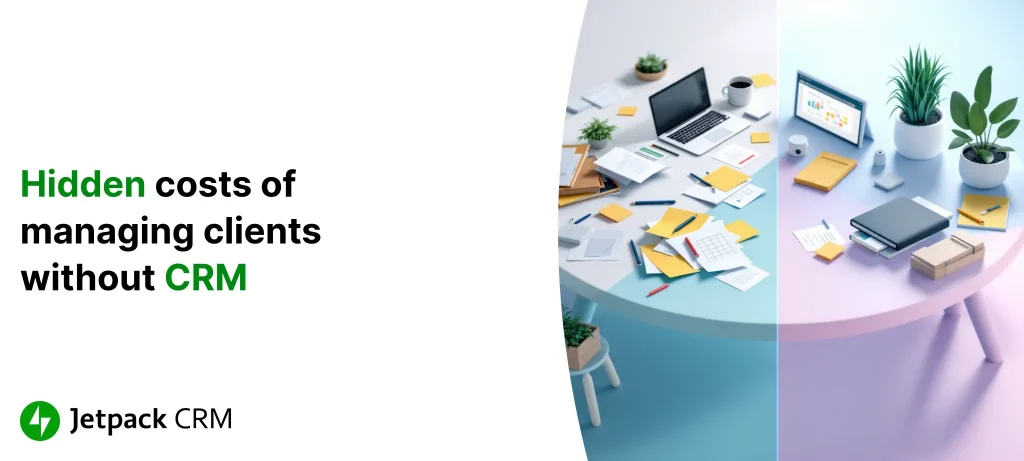
The Hidden Costs of Managing Clients Without a CRM
Published on June 20, 2025
Why Spreadsheets and Sticky Notes Leave You Scrambling
If you’ve ever found yourself desperately searching an old spreadsheet or scribbled notebook for a customer’s email address, you’re not alone. Trying to keep track of clients the old-fashioned way is a recipe for scattered data and constant headaches. Instead of having everything in one place, important details end up split between various files, inboxes, and paper scraps—making it tough to get a complete picture when you need it most.
This kind of patchwork record-keeping slows everyone down. Your team wastes time chasing information, and critical context falls through the cracks. When someone updates a phone number in one spot while another person logs a client meeting somewhere else, you’re left piecing things together and hoping nothing gets missed.
It’s not just about where you store your data—it’s about making sure every single interaction is recorded and easy to find. If you can’t access past conversations or up-to-date notes at a glance, it’s all too easy to let an opportunity slip by. We break this down further in our guide What is CRM? The Complete Definition and Overview, which walks through how a unified customer view keeps your business running smoothly.
The High Cost of Disorganization
How much time do you lose every week hunting for the latest client details or re-entering data? The hidden drain of spreadsheet chaos really adds up. When you rely on disconnected files and manual tracking, you’re not just duplicating effort—you’re slowing down your whole workflow.
Say you’re working on a proposal for a client, but instead of everything being a click away in your CRM, you’re shuffling through files and email threads. Each interruption eats into your productivity, leaving less time for the tasks that actually grow your business. On top of that, when departments aren’t on the same page, client details get siloed and morale can take a nosedive as everyone struggles to fill the gaps.
And the problem isn’t just lost hours; it’s missed chances to impress your customers. When your team is stuck in admin mode, the human side of your business—like answering questions and building real relationships—takes a back seat. For a deeper dive into what a CRM can do for your team’s productivity, check out What to Look for in CRM Software: Features, Types, and Selection Tips.
When Missed Follow-Ups Mean Missed Sales
We’ve all had it happen: that promising lead gets lost in the shuffle, or you forget to check in after a great meeting. These lapses aren’t just embarrassing—they’re expensive. Without an organized system for tracking conversations, follow-ups, and next steps, it’s way too easy for revenue to slip through your fingers.
Every missed email, double-booked call, or forgotten action item adds up—not just in lost sales, but in customer trust as well. Imagine being that client who never gets a reply or is asked the same question twice. It doesn’t take long before they find someone more attentive to take their business.
Reliably tracking every touchpoint is what separates dependable businesses from those always playing catch-up.
With a CRM, automated reminders and simple tracking help ensure you follow through—no sticky notes required. Want more tips for making sure every client gets the attention they deserve? Read CRM Benefits: How Customer Management Systems Improve Business.
How Manual Entry Sets You Up to Fail
No matter how careful your team is, mistakes are inevitable when you’re entering client info by hand or copying details between files. Numbers get mistyped, contact names get swapped, and deadlines get missed. Sometimes it’s a minor hassle; other times, an error can cost you a deal or damage your reputation.
Picture a time-sensitive project where the client’s email is typed incorrectly, so your response goes nowhere. Or a department is making decisions based on out-of-date info, causing confusion and friction among your staff. The more manual the process, the more room for these slip-ups—and the more energy you spend cleaning up after them.
The less your staff needs to double-check or reconcile information, the more room they have to actually serve your customers.
Automating your contact management with a CRM means fewer missteps and lets you set up checks, tasks, and reminders right inside your WordPress dashboard. To see how this works in practice, our deep dive on What is CRM? The Complete Definition and Overview breaks down smarter data management approaches.
When Your Customers Feel the Disarray
If customer questions or concerns slip through the cracks, they notice—and they remember. An inconsistent or delayed response isn’t just inconvenient; it can drive loyal clients straight to your competitors. When your team is overwhelmed with disorganized calendars and a patchwork of files, it’s no wonder important follow-ups get delayed or missed entirely.
These aren’t just abstract worries. Plenty of small businesses have watched retention rates dip because nobody noticed a client’s concern until it was too late to fix. Meanwhile, the businesses using CRM systems gain an edge by capturing every interaction and tracking client needs over time—helping you send timely, personal responses that clients appreciate.
- Proactive communication (thanks to visible client histories) shows customers you care
- Faster response times keep clients feeling valued
- Personalized replies build long-term loyalty
Want to integrate smarter client management into your existing WordPress toolset? Take a look at Integrating Jetpack CRM with Popular WordPress Plugins: A Step-by-Step Guide to see how CRM tools work hand-in-hand with the plugins you already use.
What Changes When You Switch to a CRM?
Adopting a CRM isn’t just about moving your contacts into a new system—it’s about making client management less of a daily headache. Imagine logging in and seeing every client detail, every past conversation, and every to-do in one dashboard. That’s what a well-set-up CRM brings.
Instead of scrambling to remember who needs a follow-up or where a client note is saved, everything is ready for you. Automated reminders make sure you never drop the ball, and up-to-date data means every team member sees the same information. Even emails and meeting notes can be pulled up in seconds, so serving your clients feels effortless rather than overwhelming.
Suddenly, “Who last spoke to this client?” isn’t a stressful question—it’s right at your fingertips.
If you want to compare different kinds of CRM tools and figure out which one best fits your workflow, check out The Different Types of CRM Software and Which to Choose.
Real Results: A Company Finds Relief with Jetpack CRM
Let’s get specific: one mid-sized company we worked with moved from a tangled mess of spreadsheets and missed reminders to Jetpack CRM. Before switching, they dealt with constant complaints, mixed-up client notes, and growing frustration—both from their team and their customers.
With everything centralized in Jetpack CRM, follow-ups stopped falling through the cracks. Tasks got assigned automatically, everyone could see the latest client updates, and the backlog of missed messages vanished practically overnight.
The payoff? Happier customers, fewer mistakes, and a team that could finally focus on growth rather than patching problems.
Ditch the Chaos and Start Thriving
Trying to organize your business with a stack of spreadsheets feels a lot like herding cats—possible for a while, but not sustainable. The real cost is paid in lost time, stressed-out staff, missed deals, and clients who quietly drift away.
A modern CRM clears the clutter. It automates the repetitive stuff, keeps your entire history in one place, and lets your team respond with confidence—no more guessing, no more backtracking. When your business runs on organized, up-to-date information, your clients notice the difference and your bottom line shows it.
- Automated reminders so nothing falls through the cracks
- One neat dashboard for customer info, emails, and notes
- Real-time updates for your whole team in the WordPress dashboard
If you’re ready to see which CRM features will save you the most time, our guide What to Look for in CRM Software: Features, Types, and Selection Tips breaks it all down in practical terms.
Tools like Jetpack CRM help small businesses move past the chaos and into a smoother, more rewarding way of working. If you want to grow and keep customers coming back, it’s time to make the switch.

 airline