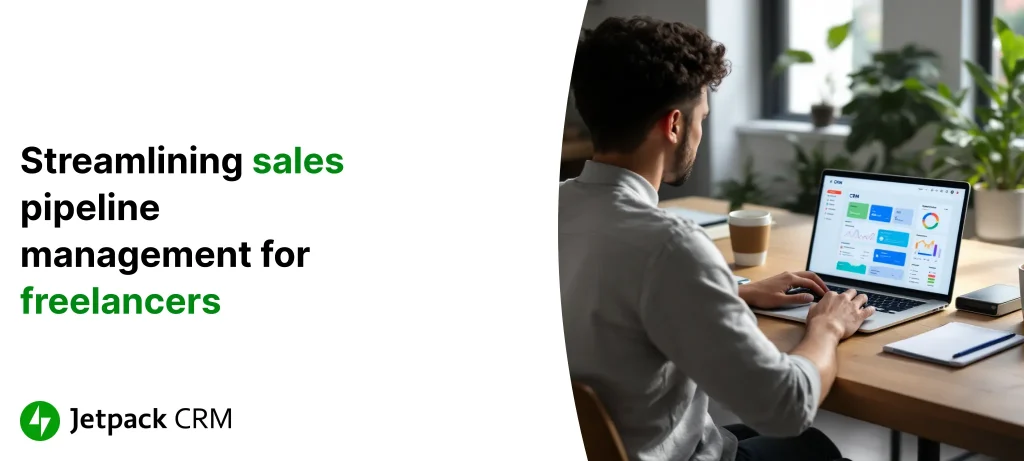
Streamlining Sales Pipeline Management for Freelancers Using CRM
Published on October 28, 2025
Freelancers wear a lot of hats—designer, marketer, salesperson, project manager, you name it. If you’re on your own, managing a packed sales pipeline without structural support can get chaotic fast. Important client notes end up lost, deadlines sneak past, and before you know it, opportunities fizzle away.
Think of it like plotting a cross-country road trip but leaving the map at home. You might make it to your destination, but probably not without lots of u-turns and wasted hours. It’s the same feeling when you’re trying to keep tabs on client conversations, reminders, and project updates by memory (or a messy inbox). Nearly three-quarters of CRM users say these tools give them better access to client info—and honestly, when your calendar is bursting, that’s a lifeline.
For solopreneurs and independent pros, the real hurdle isn’t just picking up new work; it’s keeping client relationships healthy and moving in the right direction. Every point of contact—every email sent or call followed up on—is another brick in the path to repeat clients or glowing referrals. Solid pipeline management isn’t overkill; it’s how you lay the groundwork for trust, long-term clients, and a steady income.
Yet the admin grind… it’s real. Tracking emails, setting calls, updating where each project stands—alone, they don’t seem like much, but without a streamlined system, those small tasks can swallow your whole day. That’s where a CRM—especially one you can manage right from your WordPress dashboard—comes into play. With your own digital workspace, you can finally keep your eyes on the big picture instead of chasing scattered pieces.
What a CRM Really Does for You
Your clients, all their project notes and conversations, and every little follow-up—imagine having it all in one spot. CRM (Customer Relationship Management) tools make that possible. No more frantically hunting through old emails, juggling spreadsheets, or missing calls because your reminders are all over the place.
A good CRM handles:
- Contact details and history, all together so you never lose track
- Automatic reminders and follow-ups, so nothing slips through the cracks
- Integration with your favorite email and calendar apps, cutting out double-entry hassle
- Live access to information, which helps you move fast with clients
It’s like adding a super-organized assistant to your freelance business—one who doesn’t forget a thing. In fact, research points to productivity boosts of over 30% for those who make the switch. If you’re curious about setting yourself up for success, here’s a helpful guide for choosing the right CRM.
When all your info is in one place, admin headaches stop eating up your best hours. That lets you get back to creative work and deliver a better experience for every client.
Why Your Sales Pipeline Is Everything (Seriously)
Let’s be real: as a freelancer, a reliable sales pipeline isn’t just a “nice to have”—it’s your safety net. This is how you make sure one project leads to the next and cashflow doesn’t dry up between gigs. Getting your pipeline in order often means the difference between a few lucky projects and a stream of work you can count on.
- Efficiency goes up: When you always know where every lead stands, you stop wasting time on guesswork and chasing dead ends.
- Conversion rates climb: When your CRM nudges you to send the right follow-up at the right time, those prospects are much more likely to say “yes.”
- Time management improves: Automations mean you focus on high-value work, not endless to-dos.
Think of your sales pipeline like tending a personal garden. Each deal needs timely care. Ignore it—and you’ll find yourself pulling weeds, not harvesting great projects.
CRMs have been shown to bump sales revenue by nearly 30%, all thanks to better, more consistent follow-up and record-keeping. For more tactical, actionable tips, here’s what to look for in CRM software.
How CRM Turns Chaos Into a Smooth Sales Process
Until you’ve tried it, you might underestimate how much time and stress comes from scattered notes and half-finished spreadsheets. With a CRM like Jetpack CRM inside your WordPress dashboard, you finally get everything in one spot—leads, conversations, proposals, project details, and all the little reminders that keep things moving.
The shift is immediate: set-and-forget reminders, smart task scheduling, and cleaner records. Many freelancers swear by their CRM for keeping client check-ins timely—no more lost messages or awkward “Oops, just following up again…” emails. Some reports show productivity shooting up by a third when these tools are put to real use.
A CRM isn’t just new software—it’s like finally upgrading your clunky old paper map for GPS. You get clarity, direction, and way fewer wrong turns.
With everything in one system, every client feels like a priority. And for anyone running the entire show solo, that makes a big difference. If you want a deeper dive, this case study walks through that transformation step-by-step.
The CRM Features Freelancers Actually Use
Not every CRM feature matters to solo professionals. The ones that make the biggest difference for freelancers usually include:
- Centralized Info: All emails, notes, and project details, easily searchable and secure.
- Follow-Up Automation: Automatic reminders and one-click scheduling to keep deadlines and touchpoints on track.
- Custom Pipelines: Adapt each sales stage to match how you work, whether you’re juggling short-term projects or longer engagements.
- Reporting That Matters: Quick stats and simple analytics help you figure out which lead sources and outreach work best.
It’s like having a digital filing cabinet plus your own personal nagging assistant—organized, but never annoying.
Need step-by-step pointers for rolling out CRM best practices? Check out these implementation tips tailored for busy freelancers.
How to Get Your CRM Up and Running (Without the Overwhelm)
Switching to a CRM doesn’t have to mean weeks of lost productivity. The key is a deliberate rollout—and a routine that sticks. Here’s what makes the biggest difference for freelancers:
- Start with a goal: Ask yourself what’s broken. Is it missed follow-ups? Messy notes? Decide on your top fix so you don’t overcomplicate things.
- Invest in setup: Take a couple of hours to import your contacts, tag your best clients, and set up your must-have automation.
- Update as you go: Every new email, call, or meeting should get a note in the CRM, so nothing falls behind.
- Don’t skip the tutorials: Many tools offer walkthroughs or support chat. Five minutes now can save hours down the line.
It’s basically like setting up your own home office. It takes some work up front, but after that, your processes accelerate.
Want even more tactical advice for the freelance grind? This guide explains how to stay on top of every client interaction with help from a CRM.
Real Freelancer, Real Results: Meet Alex
Let’s put this in real-world terms. Alex, a freelance web developer, was drowning in spreadsheets and buried email threads. Follow-up reminders inevitably got missed. Clients got frustrated. The work dried up, and profits dipped.
Fed up, Alex made the leap to a CRM built for small businesses. Instantly, he was getting smart reminders for check-ins and follow-ups—so no more missed opportunities. With everything organized in one dashboard, projects wrapped on time and clients stuck around. Within a few months, Alex saw his revenue climb by nearly 30% thanks to better conversion rates and loyal clients.
It’s like swappping out a pile of sticky notes for a clear blueprint—finally, predictable results and less stress.
Curious how this applies to your specialty? This article zeroes in on how web developers can stay on top of projects and invoices using CRM.
Your Next Step: Build a Smarter, Smoother Freelance Business
You don’t need to become a tech wizard to benefit from a CRM. It’s all about making your life easier: keeping leads, notes, projects, and follow-ups together so you can get back to what you do best.
- Centralized contacts and notes mean fewer mistakes
- Every follow-up prompt helps keep work flowing
- Easy reporting highlights what’s working (and what isn’t)
Research shows that freelancers who automate and organize with CRM tools see more loyal clients, higher conversion rates, and far fewer sleepless nights spent worrying about what slipped through the cracks.
If you’re ready to give your business a behind-the-scenes upgrade, take a look at why ditching the messy contact list is the smartest move you’ll make. The bottom line: with the right CRM setup within your WordPress dashboard, you can finally work smarter—not just harder—and build a client roster that keeps coming back.

 airline