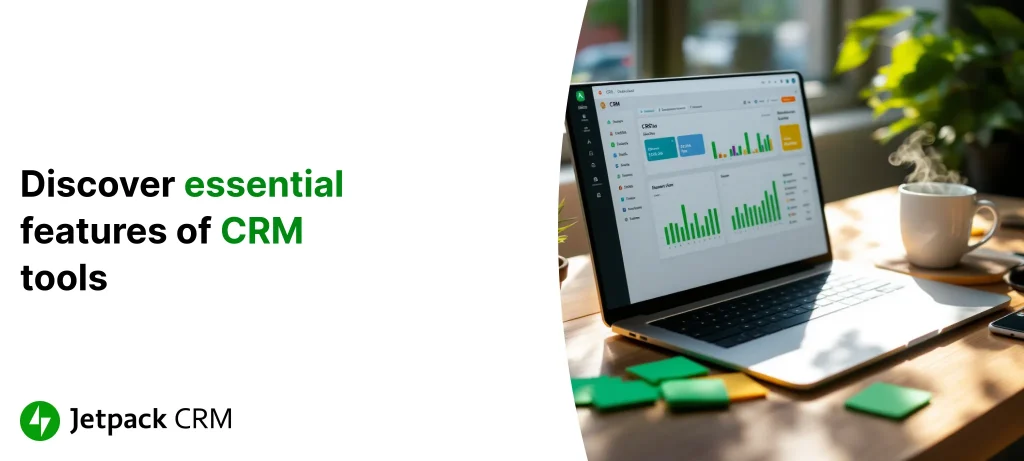
What Are the Most Essential Features of CRM Tools?
Published on July 04, 2025
Getting to Know CRM Tools: Building Genuine Connections with Your Customers
Running a small business, flying solo as an entrepreneur, or managing a WordPress site comes with juggling many moving parts—especially when it comes to staying connected with your customers. That’s where a Customer Relationship Management (CRM) system shines. It acts like your business’s memory bank, keeping all customer info and interactions in one place.
Think of your CRM as a trusted assistant who remembers every conversation, purchase, and support ticket, helping you personalize your approach. By centralizing data, a CRM lets you follow up without missing a beat and keeps your team coordinated and in the loop.
Connecting a CRM with your WordPress site is often easier than you might expect. Many plugins integrate your site’s forms directly with your CRM, turning website visitors into captured leads automatically. This means less time spending on manual data entry and more time focusing on meaningful customer relationships. For a practical walk-through, check out the step-by-step guide on integrating Jetpack CRM with popular WordPress plugins.
Starting with a CRM tools sets you up for smoother, smarter communication and better organization. It’s like having a 360-degree view of every customer, which can mean happier clients and steady business growth.
Why Small Businesses Benefit from Using CRM Tools
Small businesses often rely on personal touches and knowing their clients well. A CRM helps you manage those customer connections so nothing slips through the cracks. One big win is having all your customer details stored centrally, making it easy for anyone on your team to pick up right where someone else left off.
Here are a few ways CRM tools make life easier for small businesses:
- Smarter Customer Service: With instant access to a customer’s history, your team can respond quickly and personally.
- More Time for What Matters: Automated follow-ups and scheduling free you from busywork, letting you focus on growing your business.
- Better Teamwork: Everyone stays in sync with up-to-date customer information.
To put it in perspective, businesses using CRMs are 86% more likely to hit or exceed their sales goals. That’s the payoff of having all your customer insights organized and ready for action.
More small business owners are leaning on CRMs to keep things running smoothly. Automating tasks and tracking interactions don’t just save time—they help build loyal customers and make scaling simpler.
Why Solopreneurs and WordPress Users Need CRM Tools
For solopreneurs, every client interaction counts. Without a team to lean on, manually managing contacts on your WordPress site can quickly become overwhelming. That’s where a CRM steps in, handling the routine tasks and keeping every detail of your customer relationships neatly organized.
Take, for example, a freelance web designer who uses a CRM to stay on top of client projects and communications. With everything tracked in one place, it’s clear who needs a check-in or an update—so nothing important slips away, and follow-ups happen naturally. It turns scattered info into clear next steps.
WordPress users will find CRM integration particularly handy for connecting website forms directly to their contact lists. As outlined on Jetpack CRM for small teams, even solo entrepreneurs can juggle their communications and data analytics inside one simple platform.
When your CRM keeps things running efficiently, your customers feel valued, and your business feels ready to grow—without losing that personal touch that sets you apart.
Breaking Down the Must-Have Features in Modern CRM Tools
Today’s CRM systems are packed with features designed to make managing your customers easier and your business smarter. At their core, they help you keep track of contacts, document every interaction, and automate day-to-day tasks—all while playing nicely with other tools you rely on.
Some essentials include:
- Contact and Company Profiles: Storing detailed info so you always have the full picture on individuals and businesses.
- Interaction Logs: Recording emails, calls, and meetings so you never lose track of conversations.
- Lead and Sales Tracking: Helping you spot promising opportunities and nurture them confidently.
- Analytics and Reporting: Dashboards and reports that turn raw data into clear insights.
For example, CRM analytics don’t just show past performance—they help predict what’s coming next. Studies even suggest users can see up to a 57% boost in sales revenue with a smart CRM in place.
These features work together to cut down errors, speed up sales cycles, and get your messaging in front of the right people at the right time. Far from extras, they’re the nuts and bolts of a system that keeps your customer management sharp and reliable.
Keeping Customer Information Organized with Contact Management
At the heart of every CRM is its contact management—the foundation of a well-ordered customer database. This isn’t just about storing names and emails; it’s about creating a centralized spot for everything you know about your customers.
Picture this: a customer calls with a question. Instantly, your team has access to their purchase history, past issues, and preferences. No fumbling, no asking the same questions twice. This smooth experience builds trust and keeps clients coming back.
For businesses that handle B2B relationships, company profiles add another layer of clarity, helping to manage complex networks. It’s tough to remember every detail about every customer without a system looking out for you. This “360-degree customer view” becomes achievable with solid contact management.
Whether you’re using a user-friendly tool like Jetpack CRM—famous for quick WordPress integration—or another CRM, having an organized contact database makes your operations run smoother and your customer approach smarter.
Automation can keep those records fresh, cutting down on manual input and mistakes. Plus, many CRMs pull in data from other sources, ensuring your customer profiles are rich, detailed, and always up-to-date.
Mastering Lead Management: Nurturing Potential Customers
Lead management is all about guiding prospects through the sales journey without dropping the ball. CRMs track each lead’s status and automate follow-ups so you can focus on turning interest into loyal customers.
Features like lead scoring and segmentation help you identify which contacts deserve your immediate attention and which can be nurtured more slowly. For example, a solo business owner could set up email sequences that automatically deliver personalized messages to different prospect groups—without lifting a finger after setup.
Good lead management doesn’t just boost your chances of closing deals; it also frees up crucial time. Businesses that get lead workflows right often see as much as a 57% jump in sales revenue. Plus, connecting your WordPress site forms to your CRM makes capturing leads painless—with tools like Jetpack CRM’s lead generation integrations.
Keeping all your leads organized and automating follow-ups lets you spend more energy on sharpening your marketing and supporting customers—fueling better business growth.
Automation Features: Letting Your CRM Handle the Busywork
Automation is where modern CRMs truly lighten the load. By automating routine jobs like follow-up emails, scheduling calls, and inputting data, your team can spend time on what really counts—building relationships and driving growth.
Workflows can be set up to ensure your customers never fall through the cracks. Imagine someone signs up on your website and immediately starts receiving a thoughtfully timed series of emails tailored to their interests. That’s automation elevating your customer experience and boosting your chances of closing a sale.
Automations also keep your data clean and up-to-date by minimizing manual entry errors. When your CRM syncs with other tools—like your email or calendar—it creates a seamless flow of information across your whole operation. And businesses that embrace automation in their CRM are 86% more likely to beat their sales targets.
Communication Tools: Staying Connected Through Emails and Messages
Keeping your customers engaged means staying in touch on their terms. Many CRMs now include built-in communication tools—email marketing, messaging platforms, even chatbots—that let you connect directly from your CRM dashboard.
With email campaign features that segment your audience and personalize messages, you reach people with content that feels relevant, not spammy. Imagine a client getting an email that speaks directly to their past purchases and interests—that’s the power of smart CRM communication.
Putting all your messaging in one place means every email, SMS, or social media chat is logged and visible to your team. This full conversation history helps your team answer questions faster and stay consistent. A great example is the Jetpack CRM Mail Campaigns feature, which helps businesses cut through inbox clutter with targeted emails.
These communication tools also improve teamwork. Everyone can review past interactions and plan next steps without missing details. In the end, this keeps your customer conversations steady and trustworthy across every touchpoint.
Analytics and Reporting: Turning Data into Smarter Choices
Data can feel overwhelming, but CRM analytics turn it into a clear snapshot of your business health. From tracking sales numbers to understanding how your customers behave, these insights help you see what’s working and where to adjust.
Dashboards show real-time stats on performance, revealing which marketing efforts bring the best results and where the sales pipeline might be stuck. Say you notice a slowdown with a certain customer segment—analytics give you the clues to tweak your approach and respond faster.
Reports can include everything from sales forecasts to breakdowns of who your customers are and what they need. Research shows businesses using CRM analytics are far more likely to hit their sales goals. Tools like Jetpack CRM make these insights easy to access right inside your WordPress dashboard.
In short, analytics and reporting turn guesswork into confidence. They let you refine your strategies using real data, helping your business grow smarter and faster.
Visualizing Your Sales Process with Pipeline Management
Keeping track of where each potential sale stands can be tricky—but sales pipeline management tools make it simple. Visual layouts like Kanban boards and funnels let you see at a glance which deals are heating up, which need attention, and which are ready to close.
This visibility helps you catch bottlenecks early and assign clear follow-up tasks. For busy small teams and solopreneurs juggling many roles, a clear pipeline is a lifesaver. Businesses who actively manage their pipelines are 86% more likely to smash their sales goals.
Many CRMs also include sales forecasting tools that use historical data to predict future revenue, helping with planning and resource allocation. Coupled with live analytics, these features give you a full picture of how your sales efforts are tracking. Want to dive deeper? This article on why Jetpack CRM is ideal for WooCommerce users explores pipeline and sales performance strategies in detail.
Ultimately, a well-managed sales pipeline doesn’t just improve numbers—it builds a reliable, repeatable process that maximizes every opportunity at each stage of the customer journey.
Picking CRM Features That Fit Your Business Like a Glove
Choosing which CRM features to use can feel overwhelming, but focusing on the right fit for your unique business can make all the difference. Your CRM should match how you work, who your customers are, and where you want to grow.
Here are some key things to consider:
- How well does it play with your current tools? Especially if you’re on WordPress, look for smooth integration with email, calendars, and form builders. The Jetpack CRM update with lead generation forms highlights some of these possibilities.
- What level of automation does it offer? Automation saves time and reduces mistakes—the kind of efficiency every small team can appreciate.
- Does it grow with you? As your contact list and workflows expand, your CRM should be able to scale without missing a beat.
Also, pay attention to how easy the CRM is to use. A clean, intuitive interface keeps the learning curve manageable—especially important if you’re flying solo without IT support. Trying out a CRM before fully committing can save headaches down the road.
In the end, the best CRM fits your business rhythms, offers solid integrations, and grows alongside your goals—giving you the tools you need without any unnecessary extras.
FAQs About CRM Tools and Their Essential Features
What is the main purpose of a CRM tool?
A CRM tool is designed to centralize customer data, track interactions, and help businesses deliver personalized communications. It streamlines workflows by automating routine tasks and providing detailed analytics.
How does contact management benefit my business?
Effective contact management ensures that your customer details are organized and easily accessible, which helps in providing tailored services and swift issue resolution.
Can a CRM help improve my sales process?
Yes, CRM tools offer features like lead tracking, pipeline management, and sales forecasting, which collectively help in identifying bottlenecks and increasing conversion rates.
Are CRM systems useful for small businesses and solopreneurs?
Absolutely. They not only simplify customer data management but also integrate with popular tools, especially for WordPress users, ensuring that even small teams can function more productively.
What should I look for when selecting a CRM?
Focus on integration capabilities, ease of use, automation features, and scalability. It’s also important to consider specialized needs such as industry-specific reporting or mobile access.
How do automation features aid daily operations?
Automation features relieve the burden of repetitive tasks like follow-up communications and data entry, allowing you to focus on strategic decisions while maintaining consistent customer engagement.

 airline