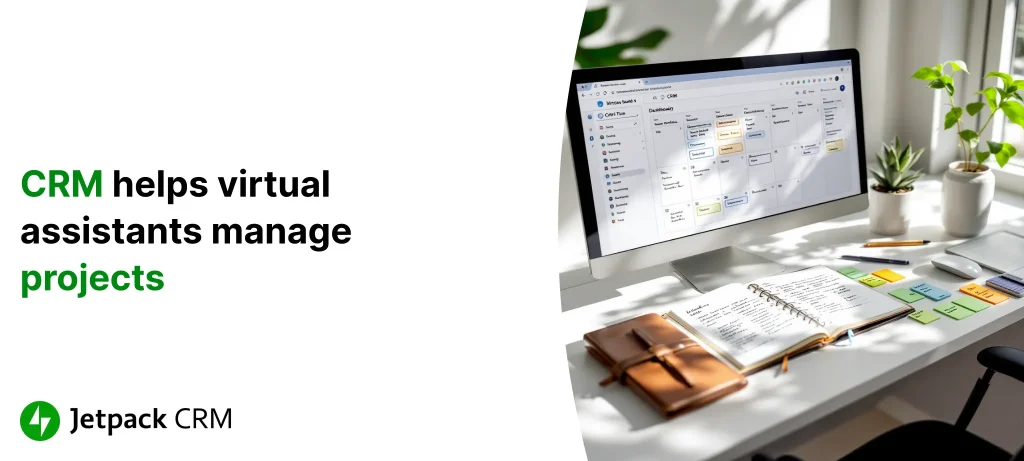
How CRM Can Assist Virtual Assistants in Managing Multiple Client Projects Efficiently
Published on August 06, 2025
Life as a virtual assistant can feel like spinning plates—balancing new client requests, looming deadlines, and a constant stream of admin work. It’s not just about tackling your to-do list; it’s about keeping up with evolving client needs, remembering every conversation, and knowing where everything stands. If your day is a blur of switching tabs, cross-checking sticky notes, and babysitting your inbox, you’re not alone.
Picture trying to organize a team meeting where everyone is speaking a different language—and you’re the translator. That’s the everyday reality for many VAs. Without a single source of truth for client info, key details scatter between emails, chat apps, and notepads. This chaos leads to missed details and, ultimately, frustration on both sides when deadlines sneak by unnoticed.
- Scrambled client information causing miscommunication
- Too much time lost to repetitive admin work
- Trouble deciding what needs attention now—and what can wait
When the workday feels frantic, the right digital tools aren’t optional—they’re a lifesaver. A well-chosen CRM in your WordPress dashboard can round up all your client data and daily operations under one roof. Many virtual assistants who add a CRM report a huge drop in “where did I put that?” moments and a big boost in headspace and efficiency.
“With a CRM system, you can store and access all relevant client information in one place—no more digging through inboxes or juggling sticky notes.”
Let’s dig into how CRMs don’t just ease the admin burden—they free you up to deliver top-notch, personal service, even at your busiest.
Why CRM Belongs in Every Virtual Assistant’s Toolkit
CRM stands for Customer Relationship Management, but don’t let the jargon scare you off. Think of it as your central command—one place for everything from contact info and project notes to client quirks and conversation history.
What’s the real benefit? Instead of splitting your focus between five apps, your CRM dashboard is your new mission control. All your client touchpoints, tasks, and timelines are easy to find—no tab-hopping required.
- Store detailed info for every client—contacts, contracts, preferences, and more
- Track task status, project milestones, and follow-up reminders
- Quickly reference previous emails, calls, or project updates with a built-in history
Let’s say you’re juggling gigs for different clients. Your CRM keeps each project’s details un-muddled, making multi-tasking a whole lot smoother. Some business owners report gains of 34% in productivity after moving their workflow into a CRM.
As you’re considering which system suits you, resources like How to Choose the Right CRM break down questions like vendor support and custom features. With the right setup in Jetpack CRM or another WordPress solution, you’re not just collecting info—you’re building a stronger, more responsive business.
Staying on Top of Client Conversations (Without Losing Your Mind)
If you’ve ever lost track of a key request buried in last week’s emails, you know how easy it is for client communications to get messy. As messages ping you on all sides—email, Slack, Zoom—it’s risky to rely on memory alone. A CRM organizes the chaos by pulling every chat, call, and email thread into one spot.
With every client interaction logged in your CRM, nothing slips by unnoticed. Say a client tweaks the scope of a project mid-email—just add that note to their file and it’ll be at your fingertips later. This single point of reference saves you hours of backtracking and helps dodge miscommunications.
Even better, most CRMs have search and filter tools. Need to revisit what you promised a client last month? Search their name and up comes the full thread.
| Communication Type | Benefit |
|---|---|
| Easy-to-find, all-in-one logging | |
| Chat | Instant updates with notifications |
| Video Calls | Meeting notes and documenting outcomes |
Bringing calls, chats, and emails under one roof means you always have a record—and you never forget a follow-up. If you’re curious how automation can help you keep up with responses, check out Automating Client Follow-Ups.
Staying organized isn’t just about speed—it’s about showing your clients you care enough to remember every detail.
Making Task Juggling Easier: Project Priorities in Your CRM
Virtual assistants know the pain of never-ending lists. One minute you’re confirming a meeting; the next, you’re prepping documents and sending reminders. A CRM offers relief by helping you map, track, and prioritize every task, all from the same place where you manage the rest of your client interactions.
Here’s how a CRM streamlines your task management:
- Deadlines become less daunting, thanks to automatic reminders
- You can assign tasks, track progress, and flag bottlenecks in seconds
- Calendar integrations keep appointments and due dates in clear view
Without a CRM, it’s easy to feel chained to your spreadsheets. With one, your daily dashboard shows what needs attention—and what can wait. No need to manually chase every deadline.
This isn’t just hype. Many assistants using CRMs say their work moves faster and mistakes are rare. If you want more real-world stories, How Freelancers Can Manage Client Relationships and Boost Income dives into how prioritizing within a CRM helps keep clients happy.
Put Routine Tasks on Autopilot
If you’re bogged down by repetitive chores—logging client info, sending reminders, or scheduling follow-ups—it’s time to let your CRM handle the busywork. Automation is where a CRM really shines, giving you back precious hours every week.
- Reduce manual data entry with automated record keeping
- Let the CRM trigger follow-up emails or texts without lifting a finger
- Set up recurring reminders so nothing falls by the wayside
For example: kick off a new client project and your CRM can instantly set up related tasks and auto-send welcome emails. Fewer repetitive clicks means less burnout and more time spent on what matters—solving real problems for your clients.
Automated messages also mean you never miss a chance to follow up or keep a project moving. Some small businesses report up to a 34% bump in productivity just by letting automation handle routine outreach. If you’re ready to dive deeper, check the insights in Automating Client Follow-Ups.
The more your CRM does in the background, the more energy you save for creative and strategic work.
Take Control of Your Daily Schedule (And Say Goodbye to Missed Deadlines)
Staying ahead of due dates is critical as a virtual assistant, but with shifting client needs and multiple ongoing projects, it’s easy for something to slip. That’s where a CRM’s calendar and scheduling tools really pay off.
Instead of juggling paper planners and bouncing between Google Calendar and your inbox, you see every meeting, deadline, and follow-up right inside your CRM. Automated reminders and calendar syncs mean you’re nudged well before anything comes due.
And when last-minute tasks pop up (as they always do), your CRM lets you quickly re-prioritize your day. Reviewing your dashboard in the morning and evening keeps the highest-priority tasks upfront, helping you dodge nasty surprises—and keep your clients feeling confident.
If you want more tips for taming your calendar, take a look at How Coaches and Consultants Can Streamline Client Onboarding.
Your calendar isn’t just for appointments—it’s your command center for building trust with every client, every day.
How CRM Insights Help You Nurture Loyal Clients
Beyond the daily grind, CRMs give you something even more valuable: insight into what makes your clients tick. Over time, your CRM becomes a treasure chest of data—tracking communication patterns, noting project preferences, and showing you how clients like to work.
With all this info at your fingertips, you can tailor your service to each client. If someone likes detailed weekly reports? Automate those. Notice trends in project requests during certain months? Plan ahead and propose new offerings before they ask.
A CRM isn’t just about managing what’s in front of you—it helps you build and nurture long-term relationships. Those little personal touches (a prompt check-in, a quick progress report) backed by CRM data set you apart as a reliable partner, not just hired help. If you want a deeper look, How Freelancers Can Build Long-Term Client Relationships is packed with practical strategies.
How to Choose a CRM That Won’t Slow You Down
Picking a CRM isn’t about getting the shiniest tool—it’s about finding one that fits how you actually work. Think about what you really need: user-friendly dashboards, robust automation, solid support, and the right integrations with your current WordPress setup.
Here are a few things to check off as you research:
- Does it organize all your client details in one easy spot?
- Can you set up automated follow-ups, reminders, or scheduling?
- Is it simple to connect to your go-to email or messaging tools?
- How quick and helpful is their customer support?
Don’t just take the marketing claims at face value—try out a few trial versions. Run through your daily workflow and see how each system handles your real-world needs. For more in-depth criteria, How to Choose the Right CRM: Selection Criteria and Evaluation Tips is a helpful guide.
Looking at testimonials or browsing CRM Best Practices can give you extra clarity, especially around potential speed bumps and pitfalls.
Your CRM should be able to grow with your business, not box you in. Try before you buy—the right fit today could save you years of headaches.
Why Adopting CRM Is a Game Changer for Virtual Assistants
Bringing a CRM into your workflow changes everything. No more scrambling for missing info, no more missed deadlines due to scattered reminders, and definitely no more panicked searches for that one crucial email thread. With everything organized in your WordPress dashboard, you get to spend less time on admin—and more on deepening client relationships and offering real value.
Virtual assistants using tools like Jetpack CRM see their productivity soar, communication improve, and client trust build with every project. Lost emails and forgotten follow-ups become a thing of the past, replaced by streamlined task lists and clear, confident interactions.
The numbers back it up: businesses report a significant return on CRM investments—in some cases, up to $8.71 for every dollar spent. That’s not just better business; it’s peace of mind.
The bottom line? Adopting a CRM is more than “keeping up with the times.” It’s a proactive step toward a less stressful, more efficient, and far more rewarding business. The right CRM won’t just organize your contacts—it will free you to do your best work, every day.

 airline